• The site migration is complete! Hopefully everything transferred properly from the multiple decades old software we were using before. If you notice any issues please let me know, thanks! Also, I'm still working on things like chatbox, etc so hopefully those will be working in the next week or two.

preffered logging setup

They are not there. I will try again in a little bit, once my laptop charges.

it auto saves, its saved in the scantool drop down you got the scanner from. so hit that, go to logs, play back logs, then click and open the log. they are saved by date and time. bottom one is the last one done.


pause does not end a scan, disconnect does. then a blue save bar opens, and thats a bit slow to save if its a long scan. lower right corner of the scan window shows its % drop as it saves too if you dont see the save bar.
 
Well, I read and saved my current Overkill tune. Problem is that all the tuning software is buggy and doesn't work correctly. I tried to read my tune with tiny tuners and I keep getting an error. Is there a way to be sure I have the best update/version for the software? including Powr tuner, tiny tuner and UVscan2?? I am using windows 10 pro.

 
you cant read with tt, its a editor only.

see if you can open a bin file form the drop box. you also need the data base installed in dhp.
 
this is the read window in dhp.

005_zpsfocmyewd.jpg


does your dhp have a usb plug or a serial plug? if you got a usb it needs some thing down loaded so it works right. serial plugs need a key span adapter to usb.
 
I meant I want to view what was read. I had it open in tiny tuners once but now that error. I have my current tune read from Powr Tuners and saved.

I cant get anything to log correctly. I tried several runs to where it acted like it was logging but then did not save or complete when disconnected. frustrating... Im going to delete everything and try to reinstall and see if that helps. If not I may just sell the AVT box and go HPT.

EDIT- I have USB setup and have downloaded the correct drivers for it to work.


you dont open scans with tiny tuner, its a bin editor only.

uv scan will show you a log, its saved in a folder named logs inside the uv scan folder, all scans are named "racetrack and the date"

you pic looks like a failed connection, it needs to be in the obd2 port, and car running to link up right.
 
I wasn't trying to open a scan with tiny tuners. I was opening the bin file I saved of my overkill tune.

UVscan I can't even get it to read at all so I have not tried to log with that.

Powr Tuner looks like it is logging but then those errors come up. Those screenshots were when everything was hooked up. I was at a stop light when I took that screenshot of the error.
 
un install dhp, do a new install.

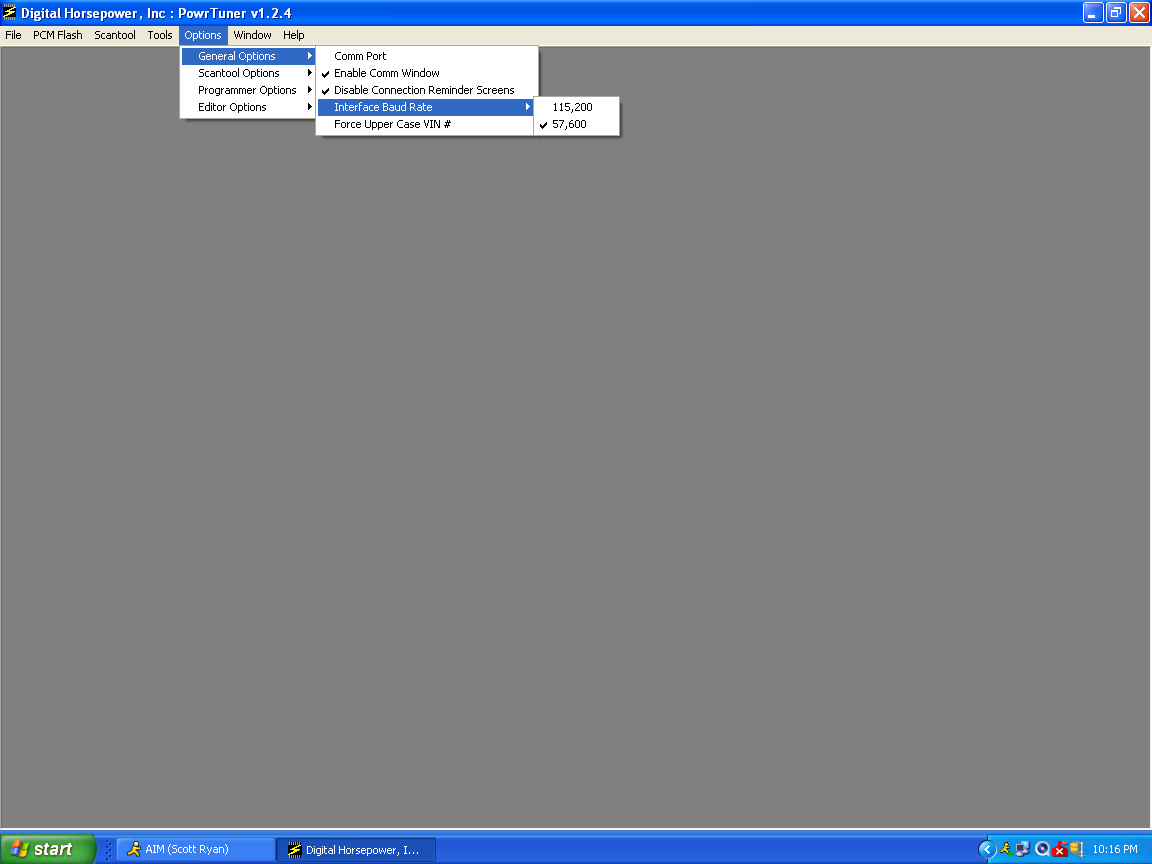
before that check the speed settings, if you got a usb its should be all set to the highest speed.

dhpandkeyspanscreenshot2_zps933b00e9.png


Originally I had the baud rate at the 115k setting and I was having issues and then I switched to the 57k and same issues. I will delete and reinstall by following the steps again.
 
it needs to be on the high speed # or it wont work as well ive found. my newer dhp box wont work on the low speed at all. the older one would not work on the high speed. DHP is a picky fuk. keep playing you got further then most in this time frame.

once you got it all figured out its easy. its the learning curve BS.
 
Question. If you were to install from new what files would you choose from the depository? There are so many different ones that it makes it kinda confusing. What updates or special files do you add after install? Thanks for any help offered!!


I can't get the dhp software to work properly. I should have went with the HPT like I was going to. AVT-852 Interface for sale. :)

thanks anyways for the help
 
Back
Top