

coreygnar
New member
I see people all the time having trouble with posting pics..
So let me show you:
Step 1:
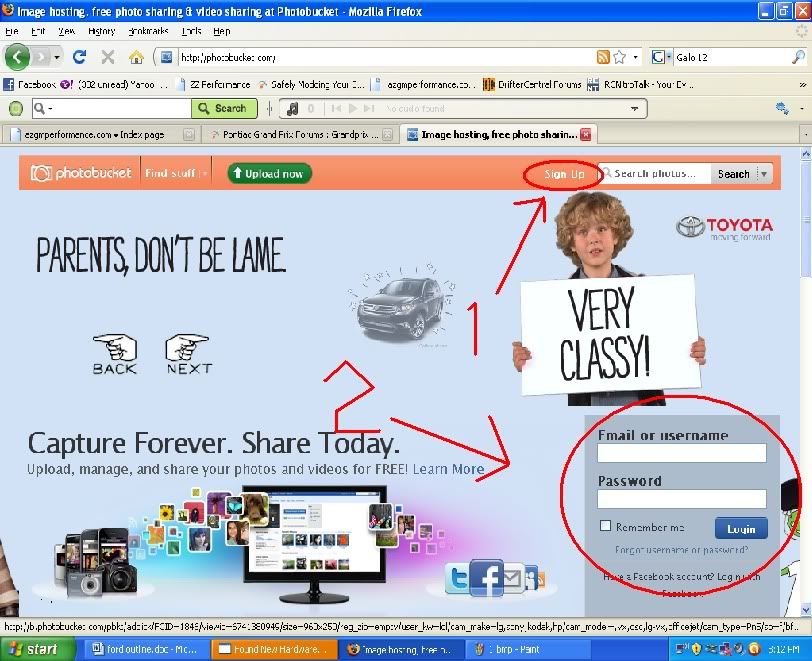
Go to Image hosting, free photo sharing & video sharing at Photobucket
If you do not have an account, sign up at 1
If you already have an account, sign in a 2
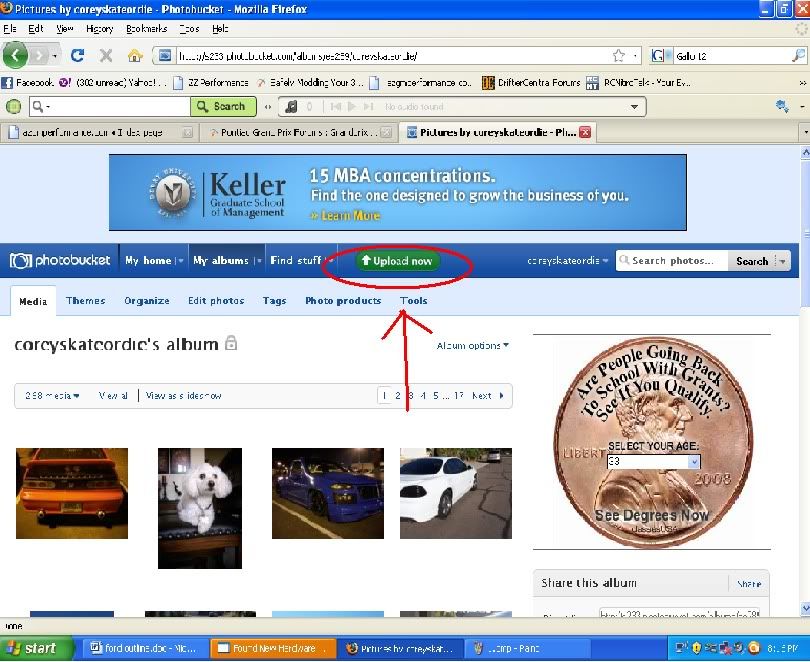
Step 2:
Click "Upload" to get to the upload menu
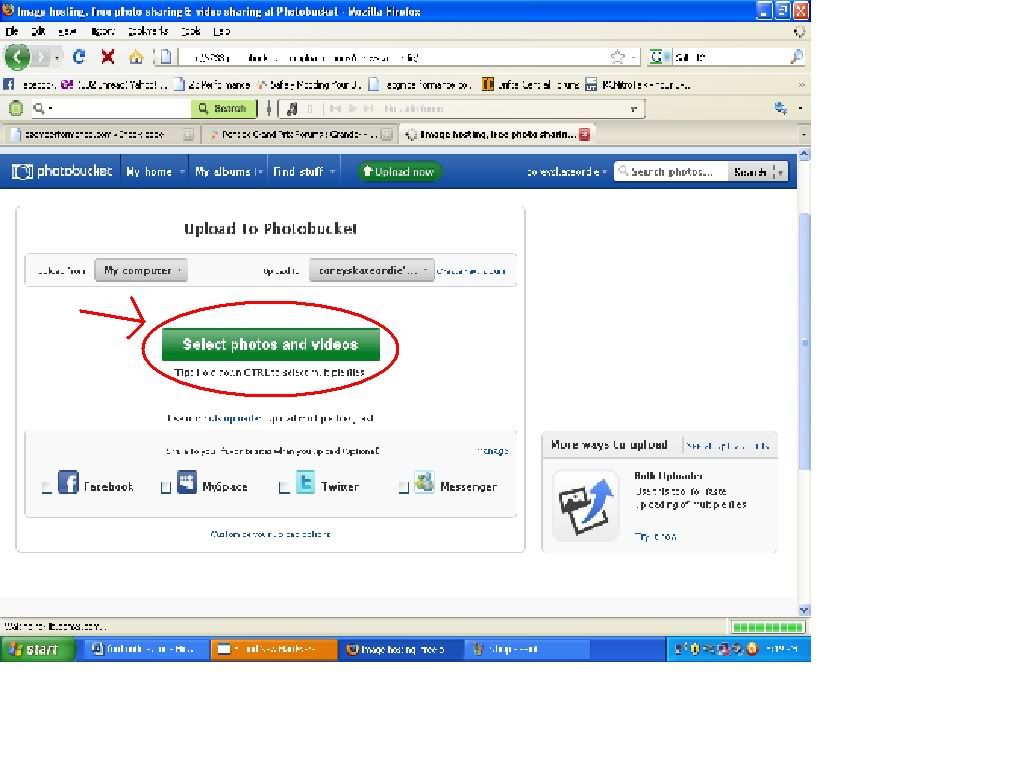
Step 3:
click "Select Photos"
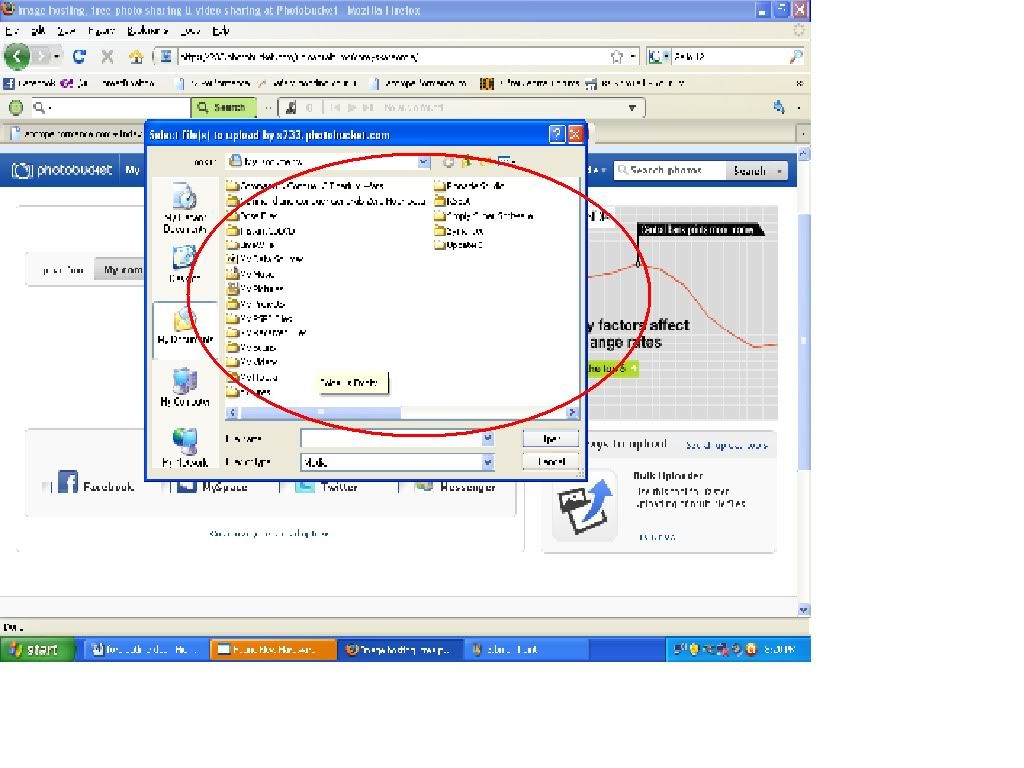
Step 4:
Find the photo(s) you want to upload, select it/them, and click "open"
Step 5:
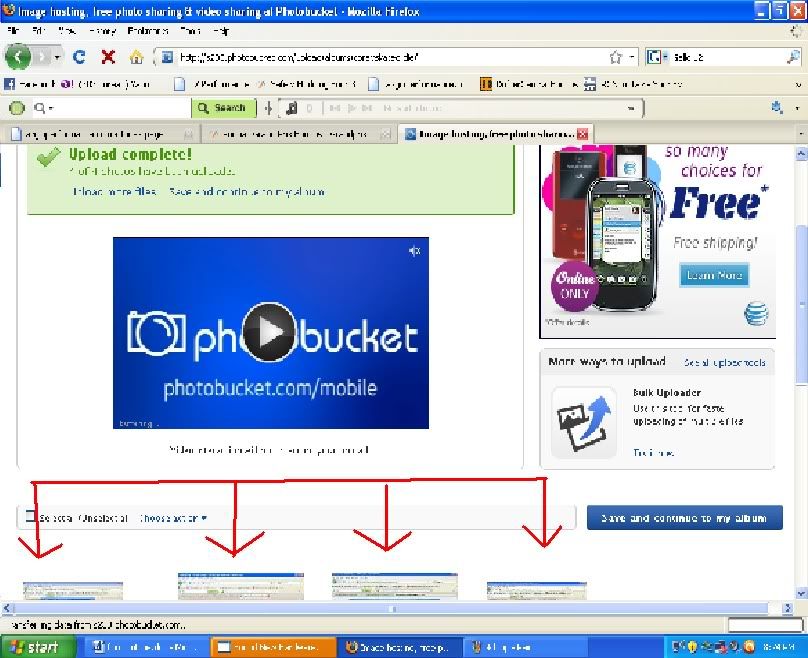
click on the photo you want to post first
Step 6:
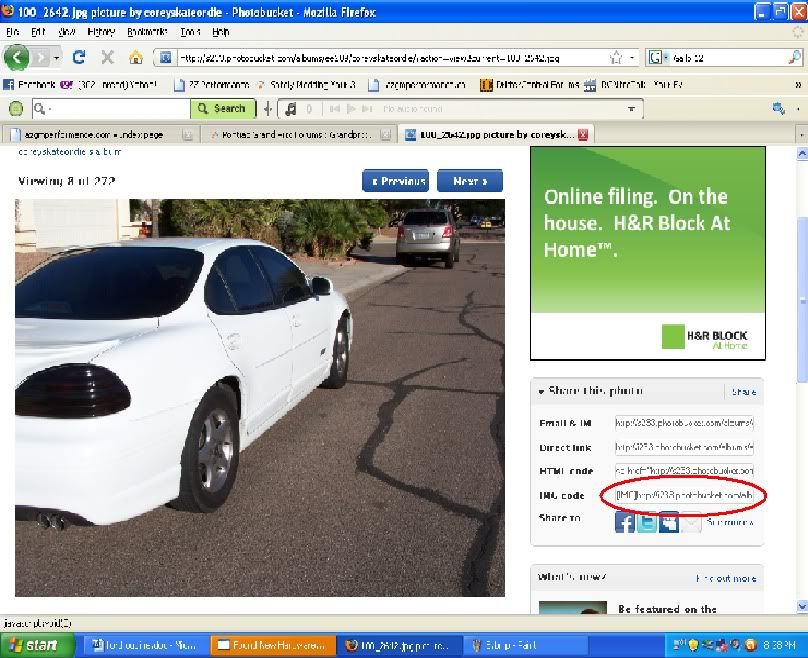
highlight and copy the IMG code
Step 7:
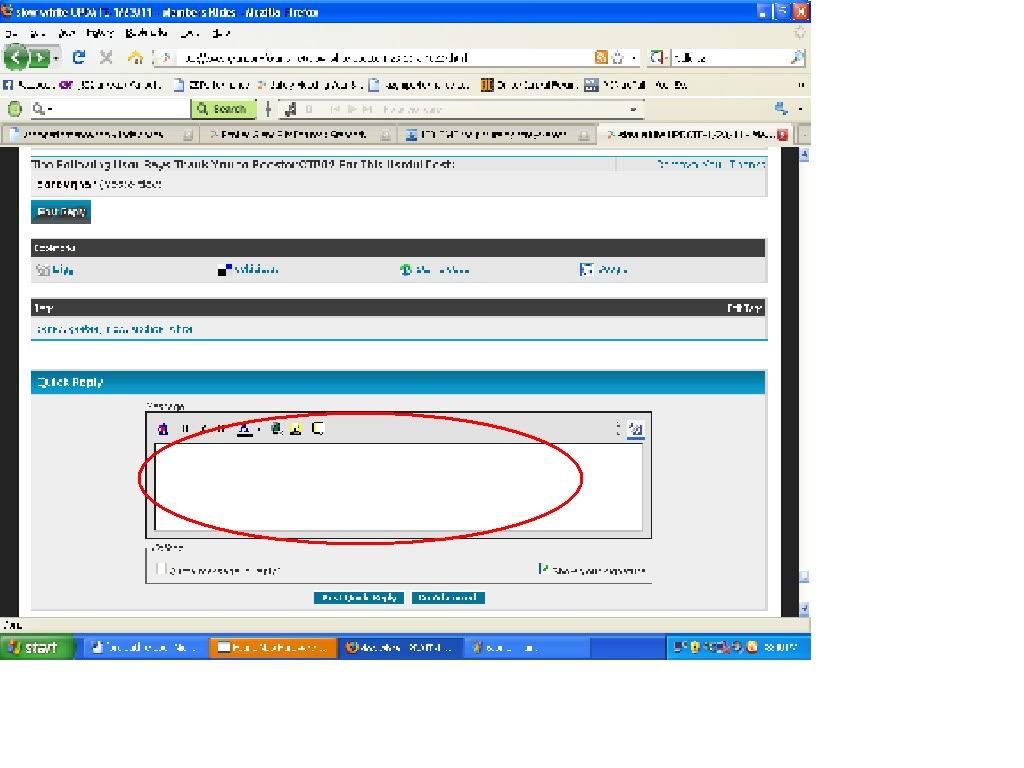
Paste!
Step 8:
Hit post
if you want you can use other img hosting sites, but im not going to show you how to use all of them, they all work the same in a way.
So let me show you:
Step 1:
Go to Image hosting, free photo sharing & video sharing at Photobucket
If you do not have an account, sign up at 1
If you already have an account, sign in a 2
Step 2:
Click "Upload" to get to the upload menu
Step 3:
click "Select Photos"
Step 4:
Find the photo(s) you want to upload, select it/them, and click "open"
Step 5:
click on the photo you want to post first
Step 6:
highlight and copy the IMG code
Step 7:
Paste!
Step 8:
Hit post
if you want you can use other img hosting sites, but im not going to show you how to use all of them, they all work the same in a way.


