• The site migration is complete! Hopefully everything transferred properly from the multiple decades old software we were using before. If you notice any issues please let me know, thanks! Also, I'm still working on things like chatbox, etc so hopefully those will be working in the next week or two.

DHP Registration

Acdc88

New member
I'm brand new to tuning. Just picked up a DHP tuner and downloaded the software this week.

I cant register the cable no matter which COM Port (1-16) or either bps setting combination I select. Could this be because I have a ZZP tuned PCM? I have read that it may be locked. I have my original PCM, but it would be nice to have the zzp settings since I only need to change my injector size.

Any advice is appreciated


your set up is wrong. you need the car to run lap top hooked up to the car, then set the com port and speed up.

are you using a serial to usb adapter? or does it have a usb off the box's cable?

you also may have to down load that 1.1 dotframe work file too. iirc what ever its called.
 
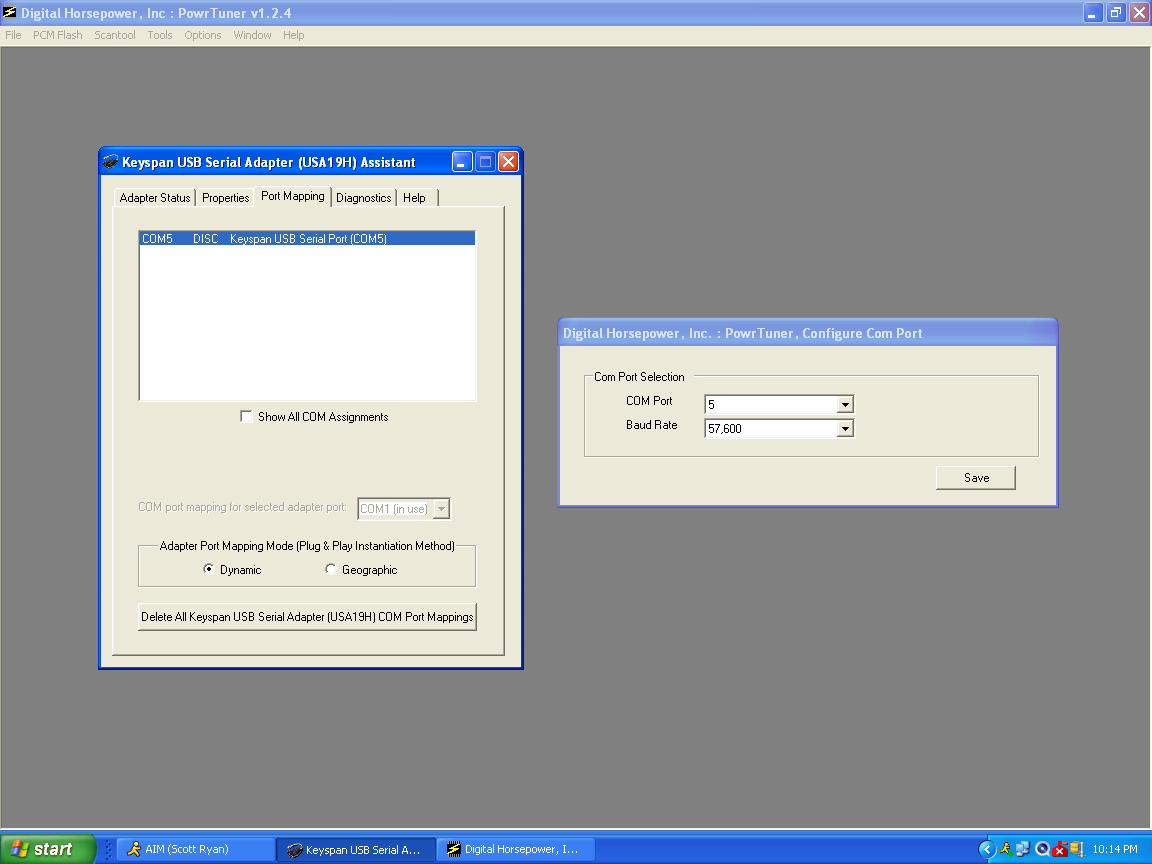
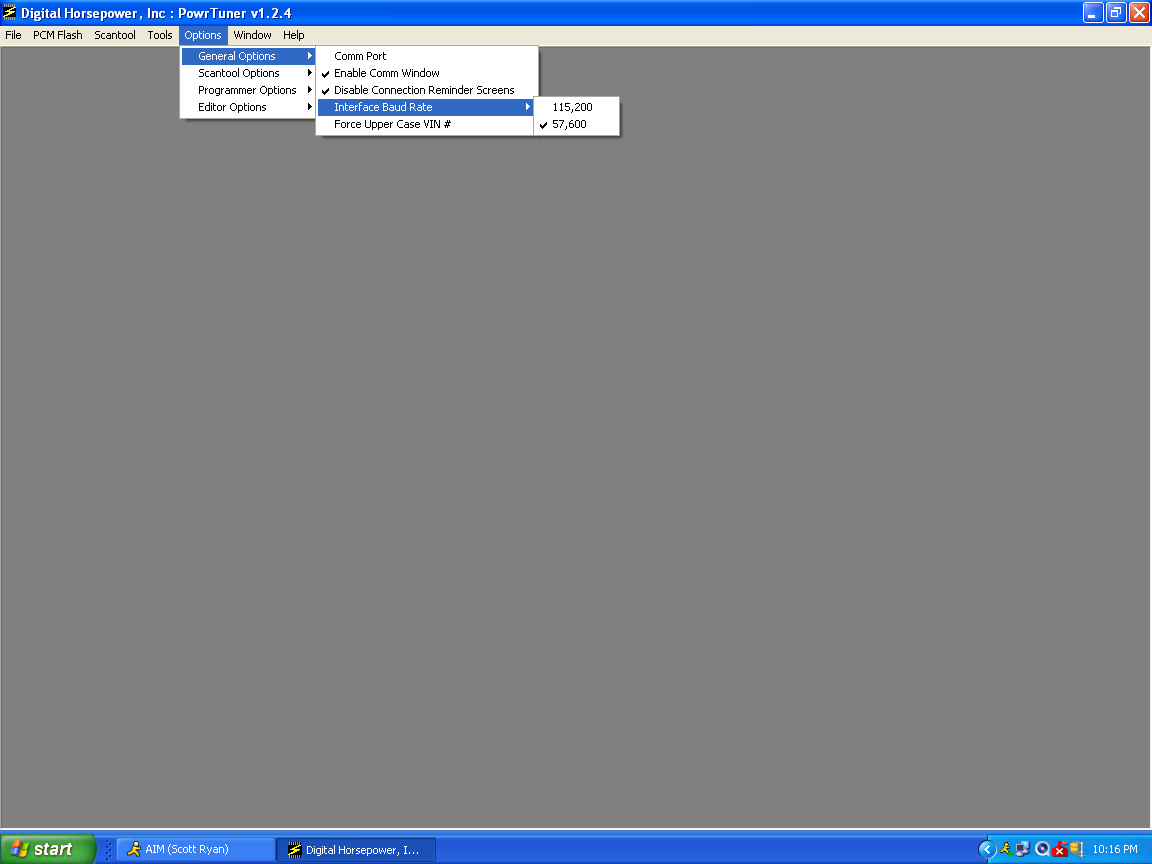
make sure the speeds are set up the same too. i need use slow speed. in my usb assistant i also have a place to check the speed.

dhpandkeyspanscreenshot1_zps48d63218.png


dhpandkeyspanscreenshot2_zps933b00e9.png
 
I'm using a serial to usb. I downloaded a driver for the cable to run with 7 tonight, so maybe that will solve the problem when I try again tomorrow. I downloaded the 1.1 that you are talking about too.

when I try to register, I:

start the program with sub and obd2 plugged in. (Led flashing)

turn key to on

try to register, get "unable to..." Message box.

Retry, adjust settings.

Try to regester... Etc
 
trust me, i know what it looks like when it fails lol

you may need to try a few different drivers. i did. im on win 7 too.


I had the same problem you did on windows 8. I didn't have the correct driver for my usb to serial cable. The best thing to do is to get a brand new in package cable and use the driver for that specific cable. That eliminated my problem.
A few other key tips:
Run in compatibility Mode XP SP 2
Make sure your baud rate and ports on your device manager match those on the port in the DHP interface selection
.net framework 1.1
the dropbox link will really get ya going

If you need more help feel free to shoot me a line. I had a rough time getting setup also.
 
So im new to DHP aswell. Im running windows 8 and I downloaded the DHP software from the dropbox link above. im currently trying to register the cable and its not working. Not really sure how to troubleshoot the problem. Any advise will help.
 
make sure the speed and com ports are set up as per the pic posted up there.

if you just have a usb on the cable i think you just need to assign it a com port. it will only work off that one usb port, no others.
 
So ive tried all 16 com ports and its still saying unable to communicate. this is all while trying different usb ports and with the key on


go into device manager see what comm port your using so you know what one to put it on. try high speed try low speed in the settings too.

dhpandkeyspanscreenshot2_zps933b00e9.png
 
are you using a keyspan adapter? or you have a usb cord off the dhp?

if using the keyspan adapter you need to down load its driver for your os.
 
1.1 framework stuff installed? you need that for every os other than xp. xp comes with it already installed. newer os's have a newer version that dont work.
 
Back
Top