• The site migration is complete! Hopefully everything transferred properly from the multiple decades old software we were using before. If you notice any issues please let me know, thanks! Also, I'm still working on things like chatbox, etc so hopefully those will be working in the next week or two.

AVT box for DHP?


I placed an order, the guy is out of town till the 17th so I'll probably get it around the 20 something of march and I'll post if it works or not. Maybe I'll put up a few pics or a vid of everything in action

Edit: the guy also specifically asks if its for dhp so he may adjust it to work correctly


does it have a green plug on it? if so, that is the input for additional inputs. did you get the one that is just a straight cable from the box and connects to the computer with a usb?
 
That's awesome, I thought they were $260. Thats the direct to PC version, since it has a USB connection. The other kind would have a cable to another box and the other box would have a USB connection on it.
 
looks like a dhp pretty much with a usb plug on the one side.

my dhp has a serial port, to a usb adapter.

i can only assume that you still need to register the cable to get the dhp working right. theres a few speed settings and com ports need to be set up and it should work.


From what I understand, it still has a serial to USB converter internally. Now if they have a program\driver that "knows" it's part of the AVT box, is another story...it would be nice though because it could tell you exactly what settings to use. If not it'll act like it is 2 separate boxes, just like the original. Either will work, one might just be easier than the other. I gotta wait for some more overtime at work before I get mine.
 
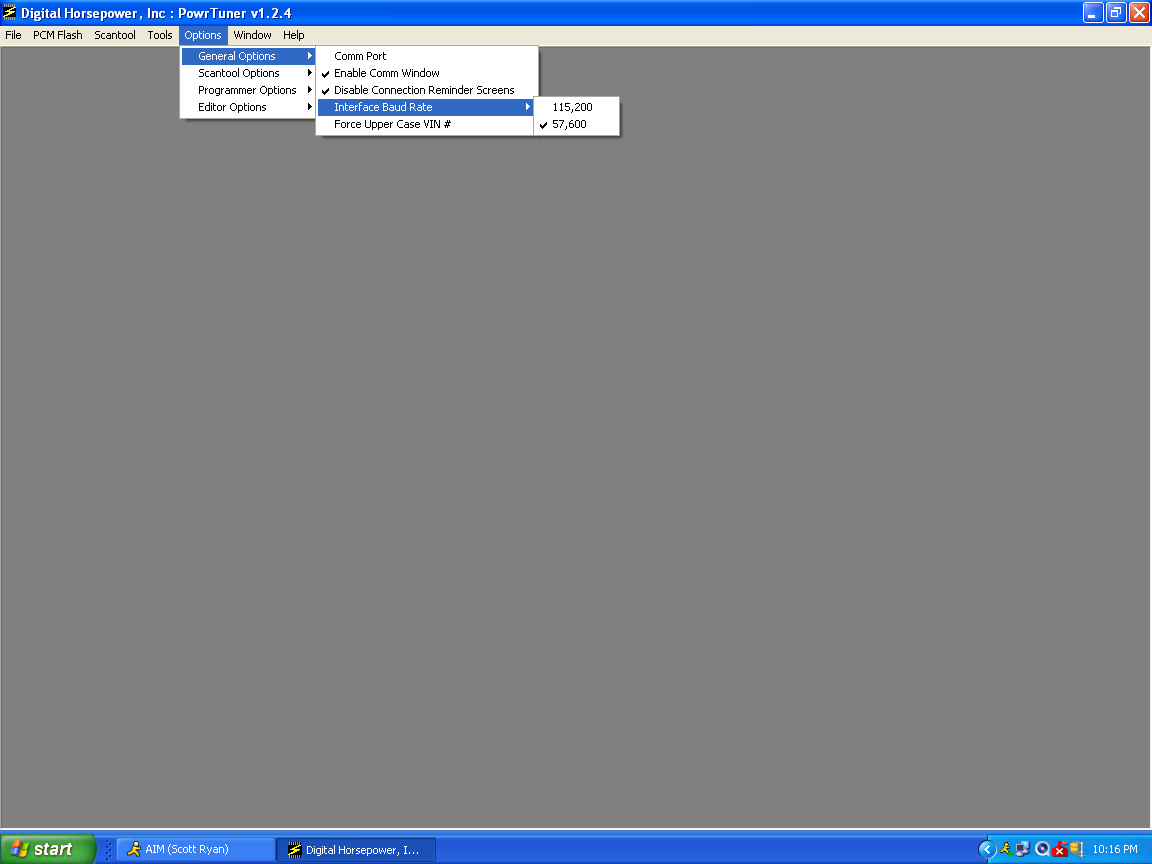
set the com port speed to 115,xxx figure out what com port your usb is using and match them. your doing hi speed cause its a straight usb. you may have to switch it to 56,xxx if it wont work still.

dhpandkeyspanscreenshot2_zps933b00e9.png


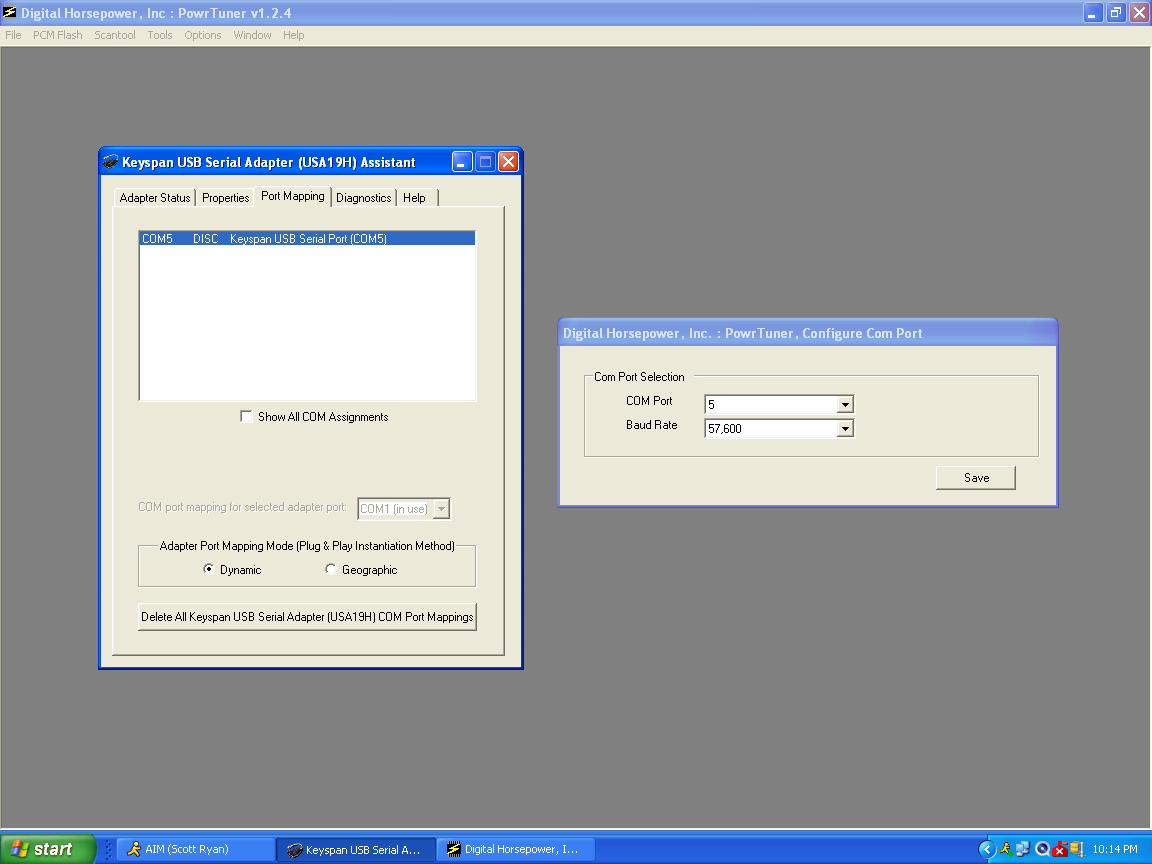
set the speed and comp port in this winow also, its the one that opens up when you try to register it.

once you figure out what com port the usb is plugged into set that to match the pc in this window.
the window on the left is my keyspan usb adapter, see its set to the same com port. you just find yours.

you can only use the usb port you register it to. or it wont work, so use one thats good for you in the car.

dhpandkeyspanscreenshot1_zps48d63218.png


Back
Top