• The site migration is complete! Hopefully everything transferred properly from the multiple decades old software we were using before. If you notice any issues please let me know, thanks! Also, I'm still working on things like chatbox, etc so hopefully those will be working in the next week or two.

Any computer gurus out there???

Iron Indian

New member
I'm no computer expert by a long shot... My personal laptops screen went out, so i'm stuck on my wifes computer which I hate. Can't wait to get my own again!

Anyway. my issues on her computer is I cannot copy and paste nothing. I've wanted to share photos and such but I cannot copy and paste on here and it pisses me off. I hope theres an easy way to fix this because I have no clue. Somebody help?

Thanks....


ouch well who do i owe the $20 lol. check under control panel, then the mouse icon. You might have to click "switch to classic view" on the left side.
 
ooo. i never did like those computers.
if you can save the words or pictures, try to open them up in another program if you have one, ive had problems with some programs not letting you copy paste or edit anything.
what program are you opening it with?


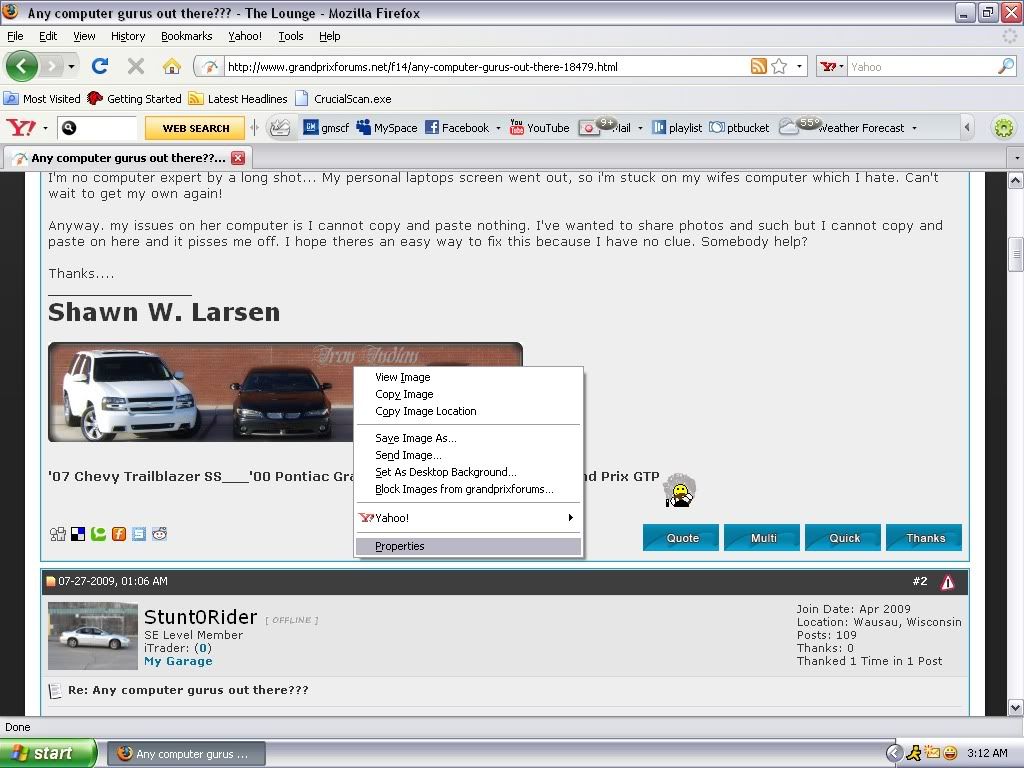
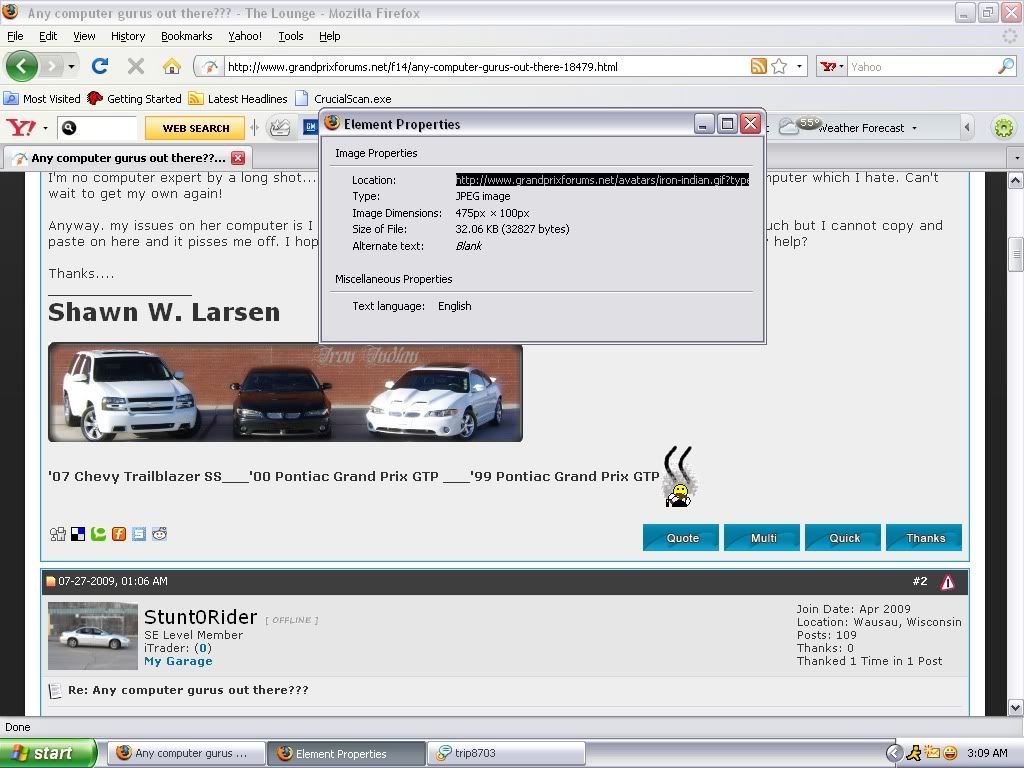
right click, go to "Properties" then triple click on the "Location" and there you have it.. the right click "Copy Image Location" is just a short cut for all that..


here, screen shots, to show you what to do..

aaaaarightclick.jpg


aaaaacopylocation.jpg
 
Last edited:
right click, go to "Properties" then triple click on the "Location" and there you have it.. the right click "Copy Image Location" is just a short cut for all that..


here, screen shots, to show you what to do..

aaaaarightclick.jpg


aaaaacopylocation.jpg


Thats my problem... I canniot right click at all. I can sit here and right click all day long, nothing pops up, nothing happens. For some reason this POS computer ain't allowing me to do this.
 
HP FTMFW i hope it gets sorted out for ya iron! :( this maybe a dumb Q but could it be your right clicker on your mouse?


Start > Control Panel > Printers and Other Hardware > Mouse > Hardware > Properties > Driver > Update Driver.
I've been workin on these my whole life and never seen this on a personal computer especially by accident, I've seen and done setups on major networks where only admins were allowed to right click but that's about it.
 
^^X2 that's exactly what I was gunna say. If that doesn't work I can guarantee it's the mouse itself. No problem thogh, like $10 at walmart.
 
Back
Top