• The site migration is complete! Hopefully everything transferred properly from the multiple decades old software we were using before. If you notice any issues please let me know, thanks! Also, I'm still working on things like chatbox, etc so hopefully those will be working in the next week or two.

03 gtp probems. is 87 octane "OK"

SO, what is the best resolve for this? a new gasket will probably just burn out again?

ALSO, downpipe CHECK. but looks like it steps down to 2.5" halfway down the car. is that going to mess with performance? just headers and a tune now!?
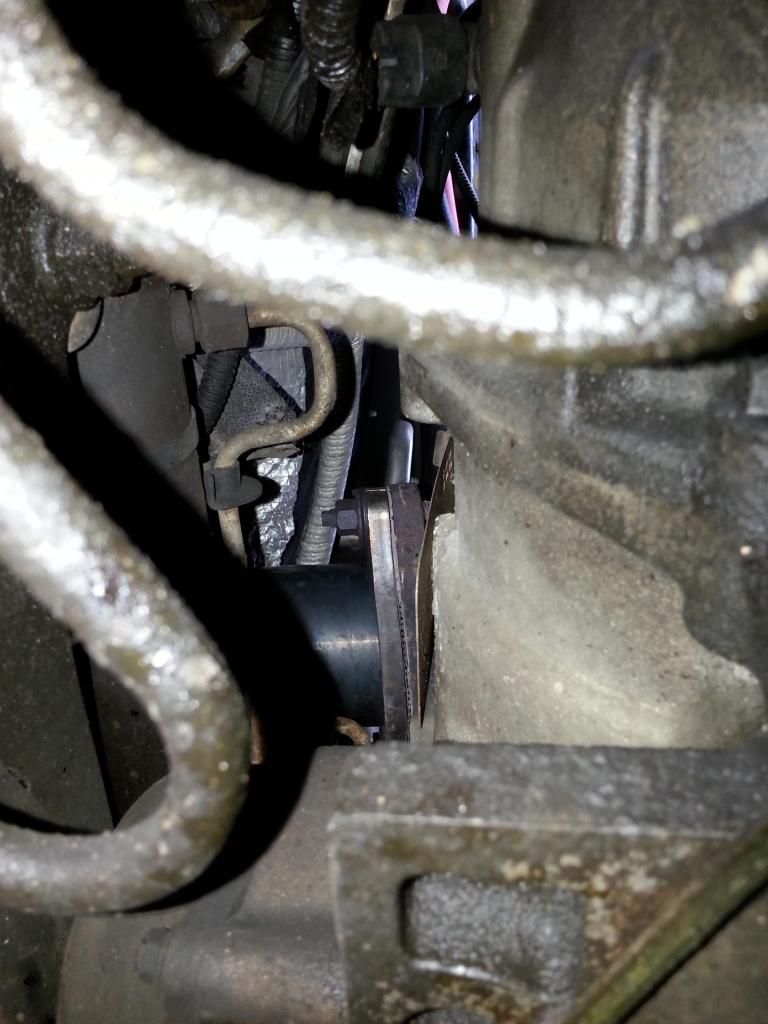
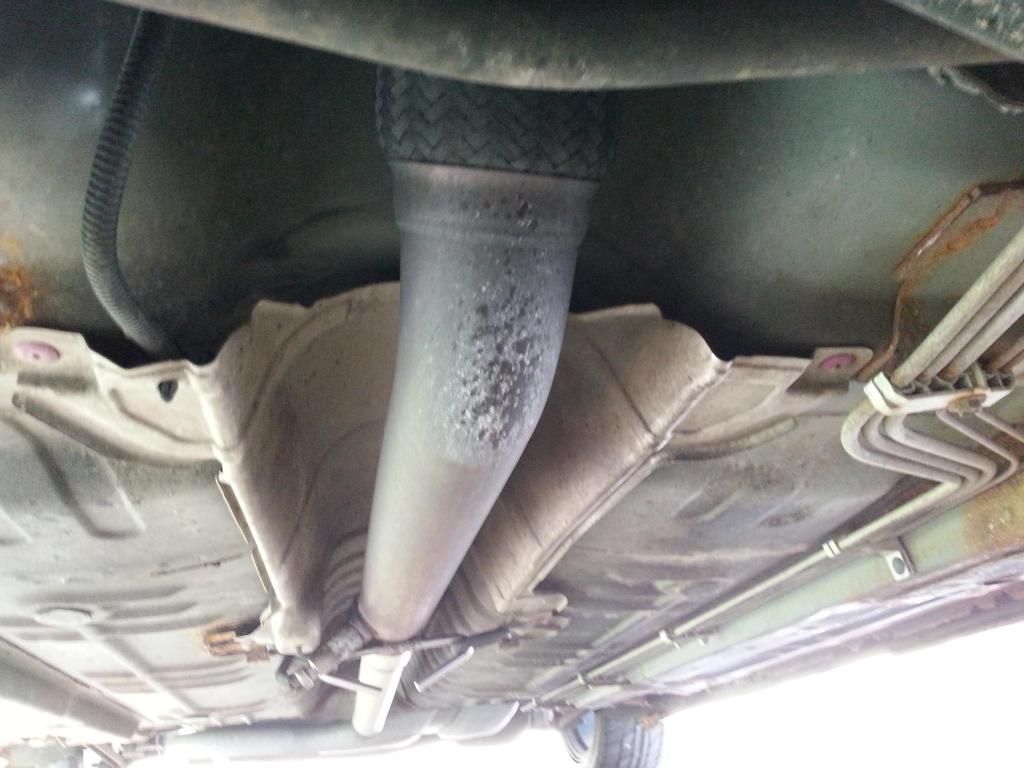
20140520_181827_zps1ad35674.jpg

20140520_181607_zps630a0324.jpg


that gasket is metal they last a long time most of the time. looks like you have headers so you may need to take the down pipe off take the gasket to the store and match one up.

that gasket is like 10 bucks or less.

the step down to 2.25 wont hurt, the stock cat back is good to 350 hp. dont think your there yet.
 
that gasket is metal they last a long time most of the time. looks like you have headers so you may need to take the down pipe off take the gasket to the store and match one up.

that gasket is like 10 bucks or less.

the step down to 2.25 wont hurt, the stock cat back is good to 350 hp. dont think your there yet.

thanks, and no headers yet. they are the stock manifolds. need to get headers soon so I can get back into boost on the 3.4 pulley (that is on it). tired of not boosting already!!!


the app cost 5 bucks too, if you need the add on its free.

it scans more live data then you'll know what to do with.

just ddont load the page with gauges they work much slower when theres more then 3 up. for kr just have it on its own page so it will read as fast as it can.
 
the app cost 5 bucks too, if you need the add on its free.

it scans more live data then you'll know what to do with.

just ddont load the page with gauges they work much slower when theres more then 3 up. for kr just have it on its own page so it will read as fast as it can.

cheaper than an aeroforce!


not for iphone.

but if you buy the obd2 adapter it comes with a install disk to install on a lap top, (mini disk) it should read the same data or close to it.

lap top needs to be bluetooth ready.
 
not for iphone.

but if you buy the obd2 adapter it comes with a install disk to install on a lap top, (mini disk) it should read the same data or close to it.

lap top needs to be bluetooth ready.

gotcha.. I have HPTuners to scan but was looking for an easy alternative. Thanks Scotty
 
plx has a wifi obd adapter for iphone. I would have one now, but cant justify the cost. I already have an aeroforce, a scangaugeII for the wifes car, my DHP, and a cheap code reader. I still want one though... would be useful at work.


Try to wipe the cache partition. This works on most Galaxy S phones, and it's harmless. It might make the phone a bit more snappy, especially if you've never wiped the phone before. This doesn't do anything to your data, picutres, or contacts. It's just like a temporary storage spot.
power off the phone
hold down the volume up + home + power all at once
wait until the boot screen comes up and it will says recovery in the top left very small, let go at this point
use the volume up and down to scroll and use the home button to select
choose wipe cache
than choose boot system
 
Try to wipe the cache partition. This works on most Galaxy S phones, and it's harmless. It might make the phone a bit more snappy, especially if you've never wiped the phone before. This doesn't do anything to your data, picutres, or contacts. It's just like a temporary storage spot.
power off the phone
hold down the volume up + home + power all at once
wait until the boot screen comes up and it will says recovery in the top left very small, let go at this point
use the volume up and down to scroll and use the home button to select
choose wipe cache
than choose boot system

I got the blue little writing that said recovery to come up but then it just cycled back off, and came back to the boot screen. Then it booted into safe mode? I am sure I did it wrong.
 
Sorry, no I did it wrong. Too many phones in my head. Hold down the volume up + home + power all at once. As soon as you see the little blue writing, let go of just the power button, but hold the other two still. Once you see the menu, let go of the others. Now just scroll down to "wipe cache partition" and push the power button once to do it. It will quickly wipe the cache and take you back to the menu. Now now push the power button once more to reboot.
 
Back
Top