• The site migration is complete! Hopefully everything transferred properly from the multiple decades old software we were using before. If you notice any issues please let me know, thanks! Also, I'm still working on things like chatbox, etc so hopefully those will be working in the next week or two.

Your thoughts: How to keep my Xbox connected wirelessly with a strong signal

nawarkk

GPF Mr. President
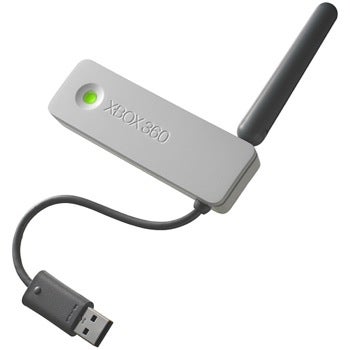
Hey guys, I just bought myself a new TV and mounted it in my room. I moved my xbox away from my modem/router that was in the basement and up to my room. I bought one of these to keep it wirelessly connected:
4183RySWVsL._SL500_AA300_.jpg


The problem is, my room is on the second floor and the signal is coming from the basement. It would cut out, and lag me out of games, it was very frustrating. What I tried yesterday with success is connecting my Xbox to my laptop and enabling internet sharing. This works great, haven't had a problem, but I'd rather not have my computer on plugged in to an outlet (bad battery) just to be able to play Xbox live.

If anyone has any ideas or tips on how to get this to work (besides to move the router, I'm working on it) it'd be greatly appreciated. And yes I tried making an aluminum foil antennae for my wireless adapter, it definitely didn't help and was the most ghetto thing I have ever made lol


I have the same wireless adapter, and mine does the same random cutting out as you describe. Must be the products fault, not our internet. Im only 10 feet from my router and it does it..
 
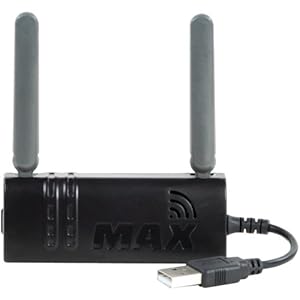
Wow.. are you serious? Well I ended up taking my brother wireless adapter and trying his out to compare, he has one of these:

172053-xbox-360-wireless_original.jpg


It worked slightly better but still cut out.. the thing is, my brother is on the same 2nd floor as me and he doesn't have the problem I have. I don't know man, I almost want to return that wireless adapter and get a different one.
 
It's really hard. It depends on the type of router you have and what kind of band it is on whether it be G or N. Some bands go through walls better than others. My first suggestion would be to get a more powerful router. I went out and purchased the top of the line Linksys available for residential and small business solutions and that solved a bunch of problems. Other than that, there really is not much you can do besides getting another adapter, or buying the new xbox which has a better wireless adapter.
 
See the thing is mine is not just a router, it is for my cable, phone line AND internet, almost everything plugs into it. I did want a stronger router, but I honestly don't know how I'd wire it to work..

Ethernet cord from one of the ports on the modem to the new router?
 
im not sure, I have really good internet. even when my xbox is connected the internet is great. it just randomly 1 or 2 times a night will suddenly kick me off.


See the thing is mine is not just a router, it is for my cable, phone line AND internet, almost everything plugs into it. I did want a stronger router, but I honestly don't know how I'd wire it to work..

Ethernet cord from one of the ports on the modem to the new router?

You can call your ISP and request to have just a modem supplied to you. You have a router/modem into one right? Or if you're tech savvy, you can disable the router functionality and run it just as a modem. That's what I ended up doing along with purchasing the new router.
 
Can you not just run a cable up to your room? seems like the easiest and wifi suck for online gameplay.
 
U could buy a new Xbox with built in wireless...it works flawlessly

Sent from my pager using Morse code. ... .. ... ....


I asked a buddy of mine this same thing...how can I get ethernet to another part of the house w/o running wire....he suggested something along these lines

Powerline Networking: Powerline Network Adapters - Best Buy

Use the AC wiring of your house. It's like being hardwired to the router. The above is an example..do your research and get a good model.

Ya know I've come to the conclusion that u know something about everything!

Sent from my pager using Morse code. ... .. ... ....
 
without going into too much detail i cannot in good conscious recommend the powerline adapters. I used to do tech support for a company and one of their products were a rebranded set of those and the damn things were near worthless.

If you cannot run Ethernet from the basement to the 2nd floor (like i did) your best bet would be to set up a wireless repeater either on the first floor or somewhere on the 2nd that gets a strong signal. it will pick up on the existing network and rebroadcast it with much improved strength to enable coverage in areas it would normally not cover.

there are dedicated repeaters or access points and also some routers can be configured in this manner. If you ever wonder how large campuses, companies, and such have wireless all over the damn place that works near 100% all the time? this would be it...
 
Wireless repeater huh? That's exactly what I was wondering existed or not. That's bad ass, I'm gonna have to do some reading on it. I'd rather have strong signal all over the house.

I've never heard of getting ethernet signal via AC outlet.. hmm I'll have to read some more into it just for interests sake.


Back
Top