
You are using an out of date browser. It may not display this or other websites correctly.
You should upgrade or use an alternative browser.
You should upgrade or use an alternative browser.
HUD dimming problem
- Thread starter sfrance
- Start date


BillBoost37
New member
Here's a how to fix it
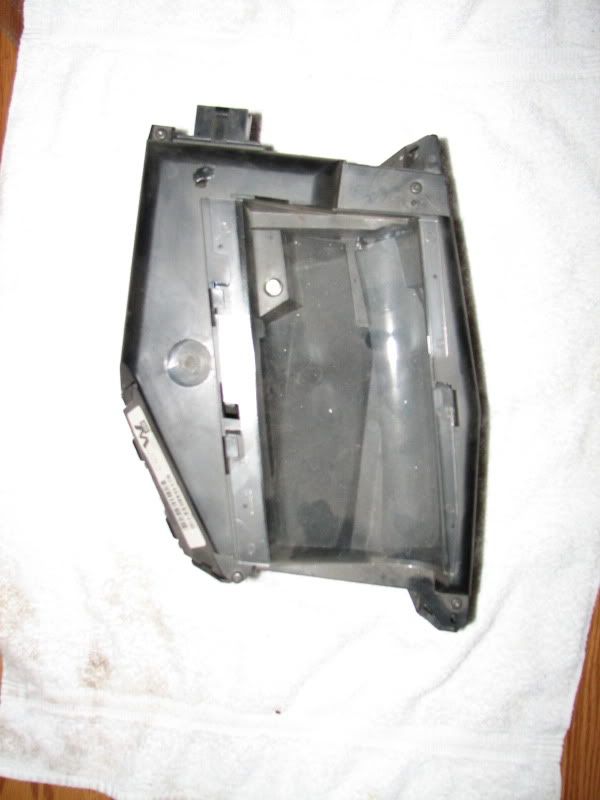
Remove the trim panel over the HUD and remove the HUD itself.
Remove the 4 T15 screws holding the HUD together at the four corners
Looking inside we see the circuit board, remove the two wire brown connector from the board
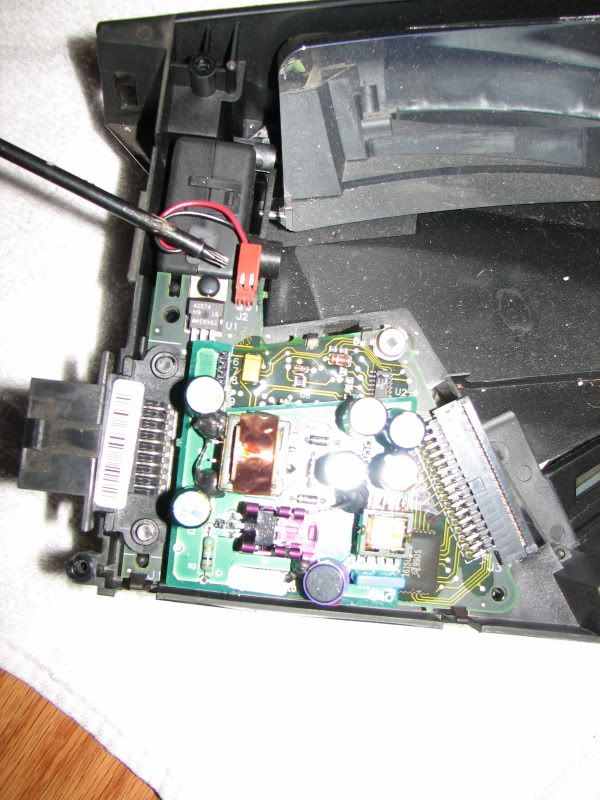
Remove the ribbon cable from the board
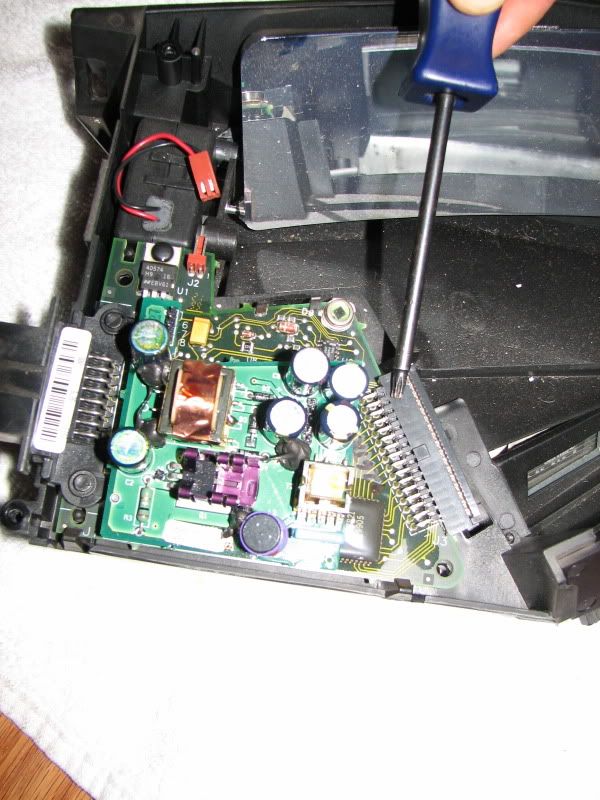
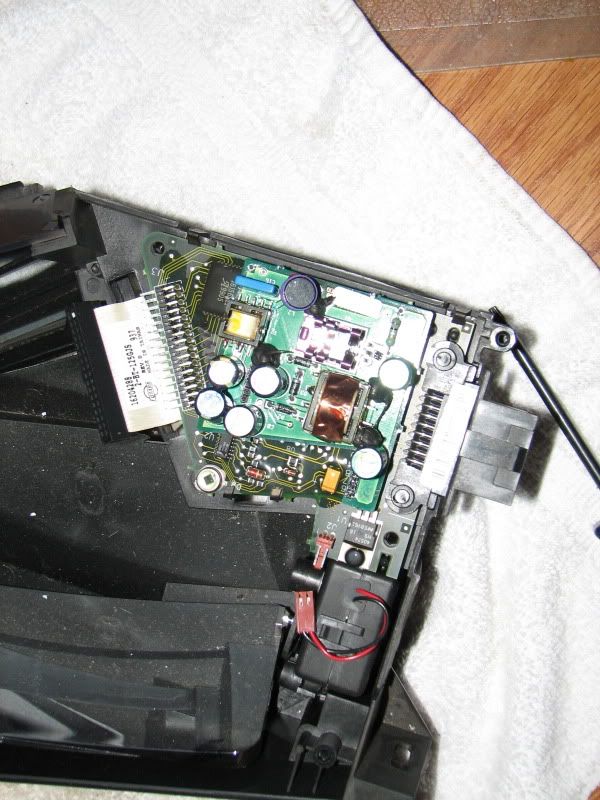
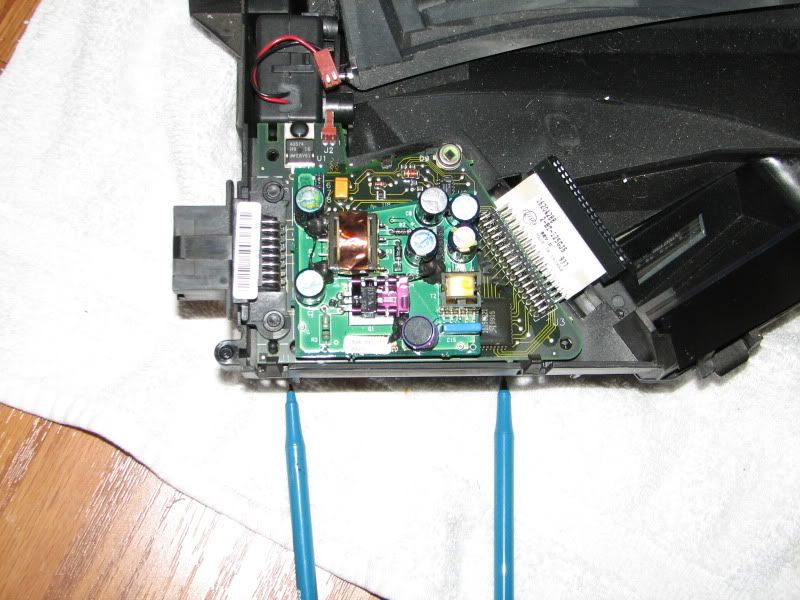
Gently pull back the two tabs being pointed to by the pens and lift that side of the circuit board.
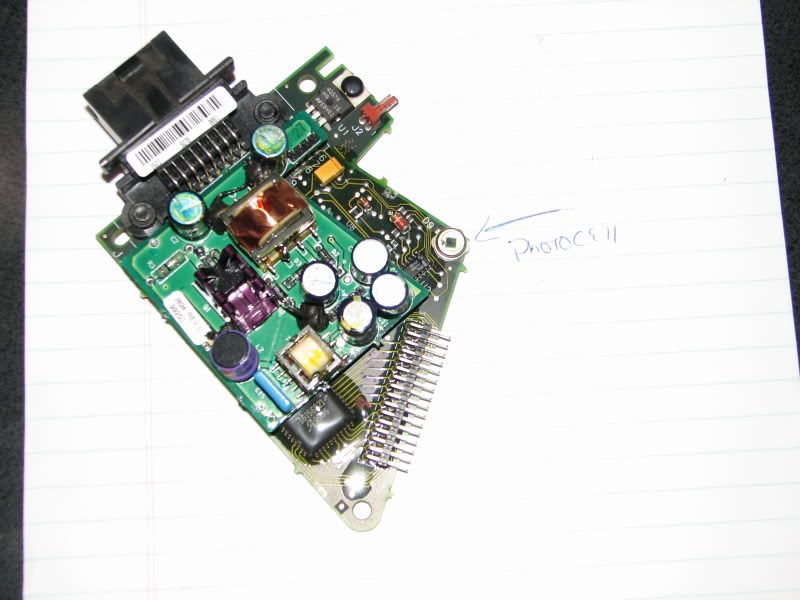
Now with your circuit board out, find the photocell. It is the round sliver item with a glass on it.
Find the two solder dots holding the photocell to the circuit board on the other side.
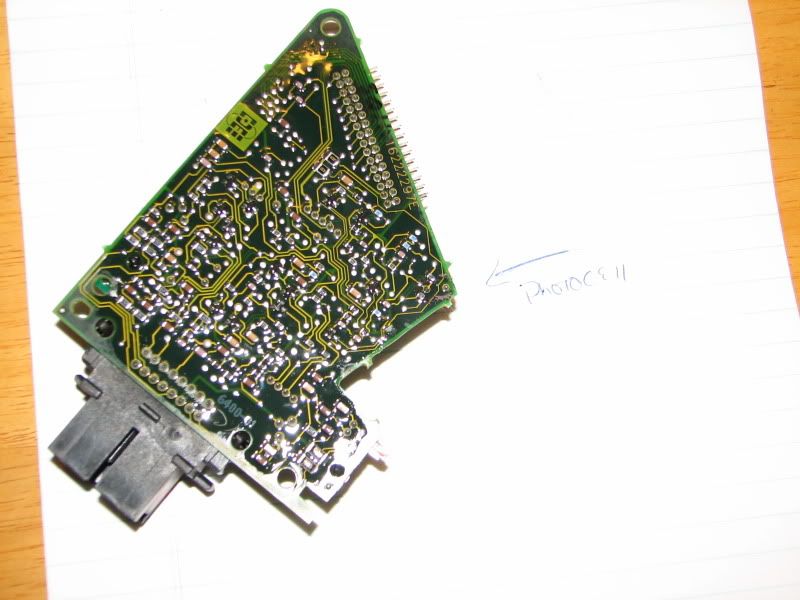
Using a soldering iron (smallish tip) touch each of the two soldering points for the photocell to reflow the solder on them. Reflowing is heating them up to allow the solder to liquify again and make a good connection.
Reassemble. If the issue was a loose photocell, your problem should now be solved.
Remove the trim panel over the HUD and remove the HUD itself.
Remove the 4 T15 screws holding the HUD together at the four corners
Looking inside we see the circuit board, remove the two wire brown connector from the board
Remove the ribbon cable from the board
Gently pull back the two tabs being pointed to by the pens and lift that side of the circuit board.
Now with your circuit board out, find the photocell. It is the round sliver item with a glass on it.
Find the two solder dots holding the photocell to the circuit board on the other side.
Using a soldering iron (smallish tip) touch each of the two soldering points for the photocell to reflow the solder on them. Reflowing is heating them up to allow the solder to liquify again and make a good connection.
Reassemble. If the issue was a loose photocell, your problem should now be solved.

I800C0LLECT
Audio Moderator
Mine does the same...however. The photocell is the key. At night depending on lighting conditions the "dimming" of the HUD changes. It's a direct response to street lights etc.

Trump
New member
On my Wife's car, the 2001 Pontiac Bonneville SSEI, the HUD seems to be a lot dimmer than mine on my 2004 Pontiac GTP ? I see the listing on new HUD's but not sure if it is the HUD or what, but it is a lot harder to see as far as the brightness then mine is.Is there a way to increase the brightness other than the outside setting with the knob?
Last edited:
BillBoost37
New member
Trump, not that I know of. The 00+ Bonnies were always a bit on the dim side in the daylight. Actually it kinda started in 97's. Never really applied to the GP's though.

joelnv02GTP
New member
tried this fix last night and my hud works great again, took it for a drive this morning and no dimming problems anymore. thanx for the quick fix
BillBoost37
New member
Sure sounds like it Suz
ok I will try tomorrow and post results. Thanks. Oh by the way a huge thank you to the people that left comments on my no-start problem...It was the ignition starter switch! I will post on that thread. Also fixed the window switch by a great thread on cleaning contacts and my DIC is fixed by replacing the 3 bulbs. AWESOME FORUM SOOOOOO HELPFUL!