Ok, I bought one of these boxes to use with dhp. I started off with a windows 7 dell laptop and could not get framework 1.1 to install. My friend at work took the computer for me and said he had to put windows xp on it to get the framework to install which works for me the laptops just for this. I still cannot get dhp to work. When i look in my control panel franework 1.1 does not have a size but i can find it in my windows registry. Online it says that means you have it. Its the only framework i have on it currently it had up to 4 and i uninstalled them. Ive seen another guy selling one of these boxes and he said it worked flawlessly on his car. Im just so mad right now. I have a week and a half of taking all my time after work to try to get this thing working and its driving me nuts. I have been reading and reading on how to tune with dhp for months. I geuss i should have been reading on how to make the pos to work. Which i have been the last week and a half. Dont know where to go from here.

You are using an out of date browser. It may not display this or other websites correctly.
You should upgrade or use an alternative browser.
You should upgrade or use an alternative browser.
Getting avt852 box working with dhp
- Thread starter Prd2010
- Start date

Scottydoggs
Killa Bee
you need to dl something for the usb to work right. if its a usb cord. if its a serial, you need a keyspan and its driver.
i leave all other dot framework crap there, install the 1.1 and thats over with.
i leave all other dot framework crap there, install the 1.1 and thats over with.
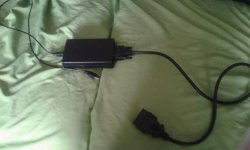
ok the 852 box comes with its own cables. the driver for the com port stuff is an ftdi virtual com port. I have the driver installed and all the setting are matched up with dhp tuner program. I have tried several different ports and such, each time matching up dhp run settings with the port i was calling out in my control panel under device manager. I actually just ordered a ordered the keyspan usa h19 or whatever that is and realized my setup wont even take that cord...

Attachments
Scottydoggs
Killa Bee
so its not registering? you got the avt plugged into the cars obd2 port with the key to on while registering it?
Scottydoggs
Killa Bee
obd2 has power if you are plugged into it? same fuse as the power port. if thats dead then the obd2 is as well.
yea key is on when trying to run it. obd 2 port in the car is working. I actually use torque pro to clear an evap code evertime i try to attempt to use the avt box. Which that code stays cleared for a few days. The box also has a light on it that turns on when its hooked up to the computer, well after i installed the ftdi driver that is. Also i tried on another 3800 car also and that one has no check engine lights and obd 2 port is working.
Scottydoggs
Killa Bee
how long ago did you buy it? or you get it used? the avt guy stopped adding the dhp part of the software we're being told as of the last few months.
Scottydoggs
Killa Bee
http://www.grandprixforums.net/thre...ner-can-t-be-purchased-pre-registered-anymore read this. theres a email from him in there, says it works, wont work, lot of double talk.
Nice. Just my luck. He did say something along those lines when I bought it, but my general understanding of the dhp and avt box was that he was selling it without dhps consent this whole time. So i just thought he said a few things just to cover himself. I didnt know anything in the boxes actually changed from december of 2016. Thats fine though. I am going to try and see how they used to register old dhp or whatever that other thread was saying and see if i can get it working that way. If i cant maybe someone on here can take it for me if they have any ideas. Im sure there would be more people interested in buying these still if theres a solution to making it work. otherwise i think im saving for hp tuners i guess. My addiction to my grand prix is far above caring about the fact that i may have just wasted 270 dollars. lol. there is no reselling this box probably huh?
Scottydoggs
Killa Bee
ouch, id keep trying, maybe do a fresh full win 7 install, leave all them dotframework files alone, add the 1.1 install the dhp and the driver for that usb and try again. try low speed too in the comm port window, some times they wont work on the higher setting if you got a old laptop.
Right. No Im not giving up that easily. Im going to try and do some stuff. At the same time though i want to do a weeks worth of work to my car after work lol. So the amount of time I have to put forth towards getting this working is going to be limited. Im still trying though.
Scottydoggs
Killa Bee
keep us posted, or update that other thread if you get it to work.
cant help but think your the guy who had just bought one in his e mail posted there.
cant help but think your the guy who had just bought one in his e mail posted there.
Version 2.9 (0D)
Limited release: 15 February 2017 (possible this will be moved to General release soon)
Taken from version 2.9 (0C)
Updated the LIN1 Digital Output function, '5x 89' command.
Command summary:
51 89:
Status query.
52 89 00:
Disable the function.
52 89 01:
Enable the function. If a message matching the criteria is found, the digital output is update and the message is passed to the user.
(Same operation as previous firmware version.)
52 89 02:
Enable the function. If a message matching the criteria is found, the digital output is update and the message is discarded.
I found this under the avt 852 box updates. This is the most recent and the only documented change from 2016 to this year. Dont know if this means anything. Actually it looks pretty irrelevant to what im looking for
Limited release: 15 February 2017 (possible this will be moved to General release soon)
Taken from version 2.9 (0C)
Updated the LIN1 Digital Output function, '5x 89' command.
Command summary:
51 89:
Status query.
52 89 00:
Disable the function.
52 89 01:
Enable the function. If a message matching the criteria is found, the digital output is update and the message is passed to the user.
(Same operation as previous firmware version.)
52 89 02:
Enable the function. If a message matching the criteria is found, the digital output is update and the message is discarded.
I found this under the avt 852 box updates. This is the most recent and the only documented change from 2016 to this year. Dont know if this means anything. Actually it looks pretty irrelevant to what im looking for
Scottydoggs
Killa Bee
(Same operation as previous firmware version.) <<< this part sounds good, no idea what any of that means, i dont talk pc code.
Scottydoggs
Killa Bee
we got some smart pc guys here, with any luck one of them might pop in and see this. as for me. way over my pay grade lol
ok so i have to download powershell 1.0 to work in conjunction with command prompt. It uses numbers, similar to the ones i believe i have to enter, to make changes to whatever your changing. which in this case will be sent to the com port. but i need to redownload framework 2.0 which i already had and deleted. then i should be able to download powershell for command prompt. then theres a paragraph of prompts to get command prompt synced to the com port. then from what i understand i should be able to send that command and the box should be as it was last year. thats just what i have gathered but it all seems right. I have to go do some things now. will continue later on tonight. hopefully i can atleast get powershell working.