
Hi all,
As I recently replaced an ailing throttle body and encountered some difficulty removing throttle cables (being afraid to break anything plastic), and as I got help from the community to do so, I thought I would make a formal write-up detailing my experience so future newcomers can do this job with confidence.
I've never written a how-to before, so please be nice, or be mean with creativity :th_nanana:
Experienced folks, please feel free to edit for readability. EDIT: I believe this information is valid for 1997-2003 Grand Prix GTP's.
What we're doing:
Two throttle cables attach to the throttle body (TB) of an L67 (supercharged 3800) engine. One is from the accelerator pedal, and the other is from the cruise control (CC) module. Both do the same thing - they pull to open the butterfly valve inside the TB, allowing more air into the engine. We're detaching both of them, a necessary step in removing the throttle body in order to replace it or clean it thoroughly away from the car.
Notes:
I wouldn't do this if it's very cold outside as it's much more likely for the brittle plastic clips to break.
Take it slowly and don't break anything you can't unbreak.
Let's go:
Remove the sight shield (engine cover) if you keep it installed. (I've removed mine to help keep the S/C cooler).
Start by removing the 10mm nut atop the shield:
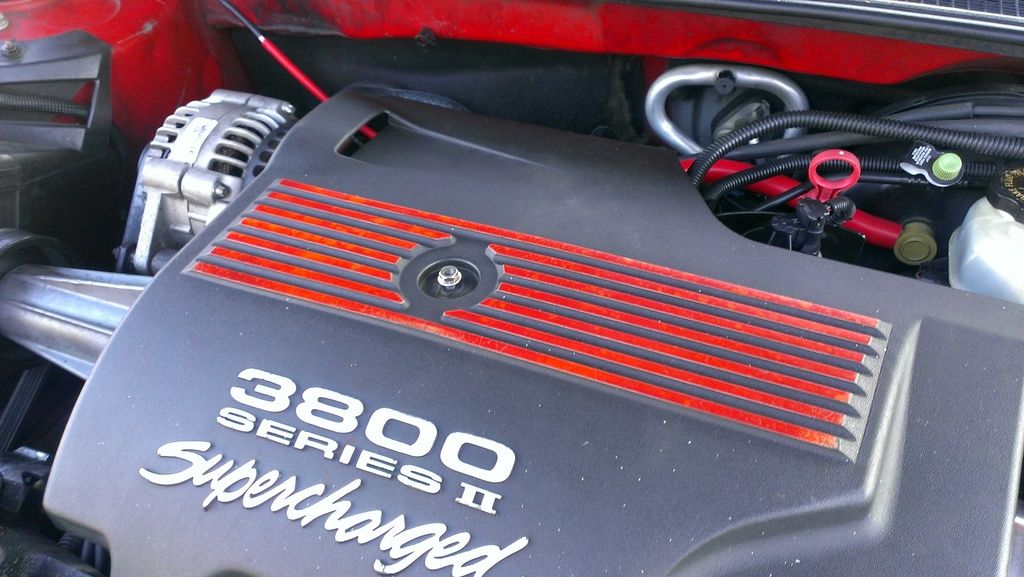
Unscrew the oil filler neck, not just the cap but the entire cap and neck assembly:
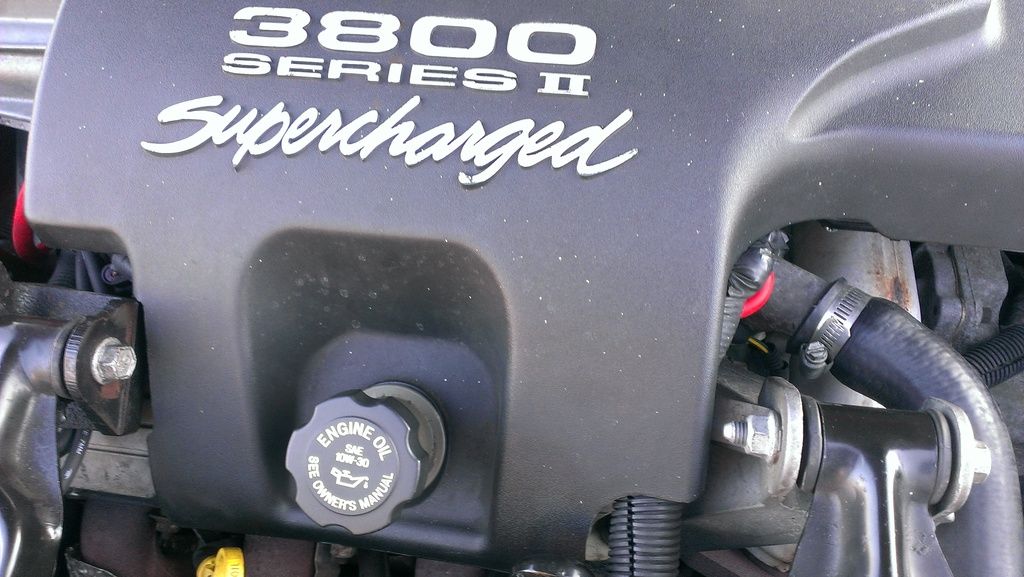
Remove the sight shield:
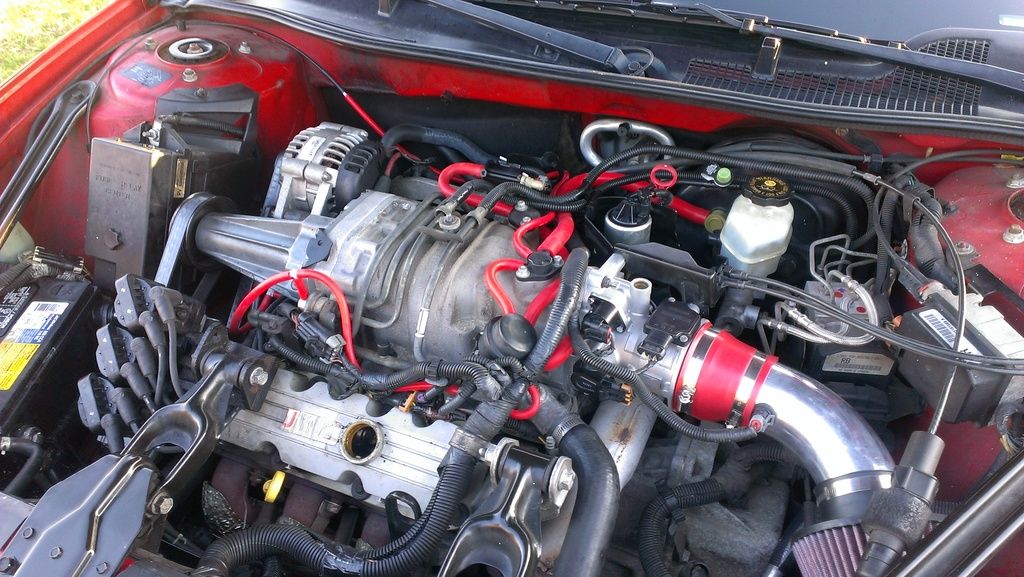
To keep dust out of the crankcase, screw the oil filler neck back in. I also screw the 10mm nut back on to prevent losing it.
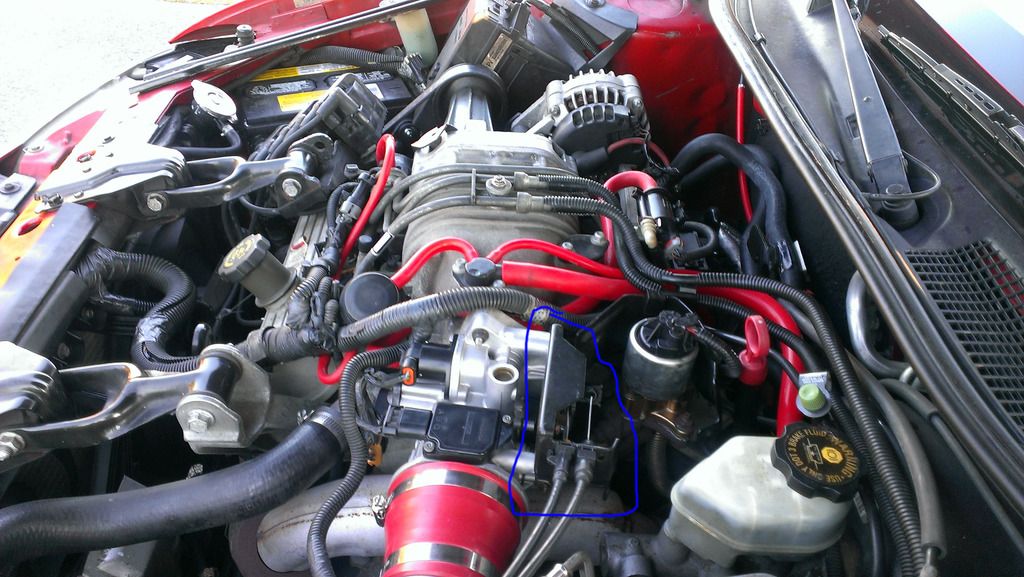
This is the throttle body. The oval above and to the right encircles the throttle cables:
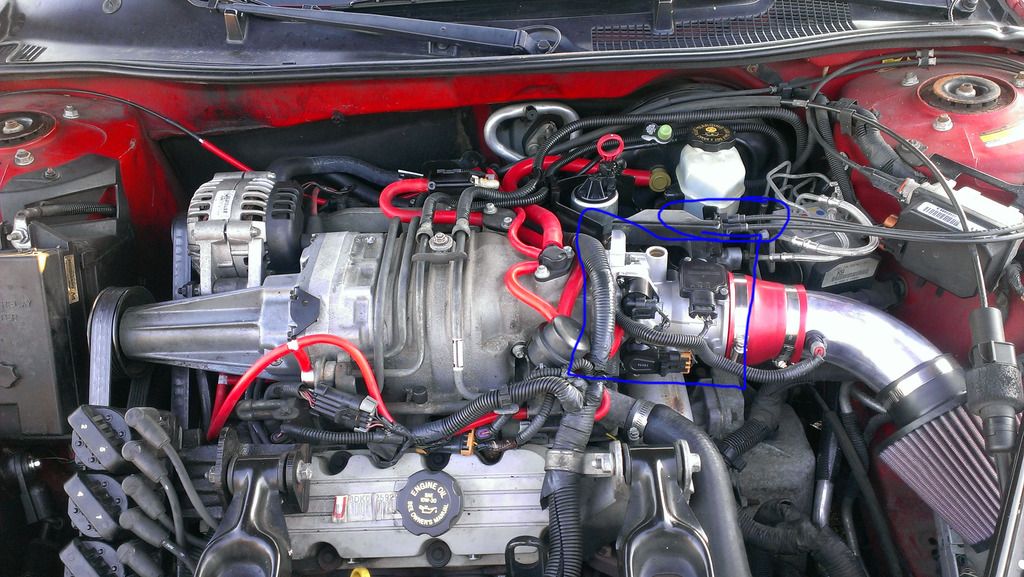
Here is another view from the driver's side:
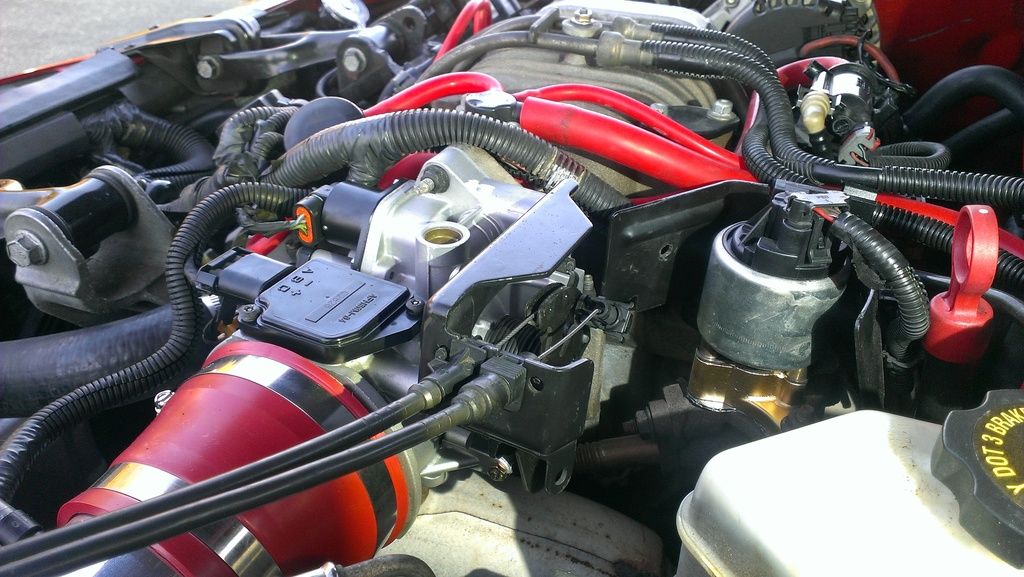
These are the throttle cables up close:
We first need to detach them from the black metal bracket, then from the throttle body itself. A plastic tab holds each cable firmly to the bracket:
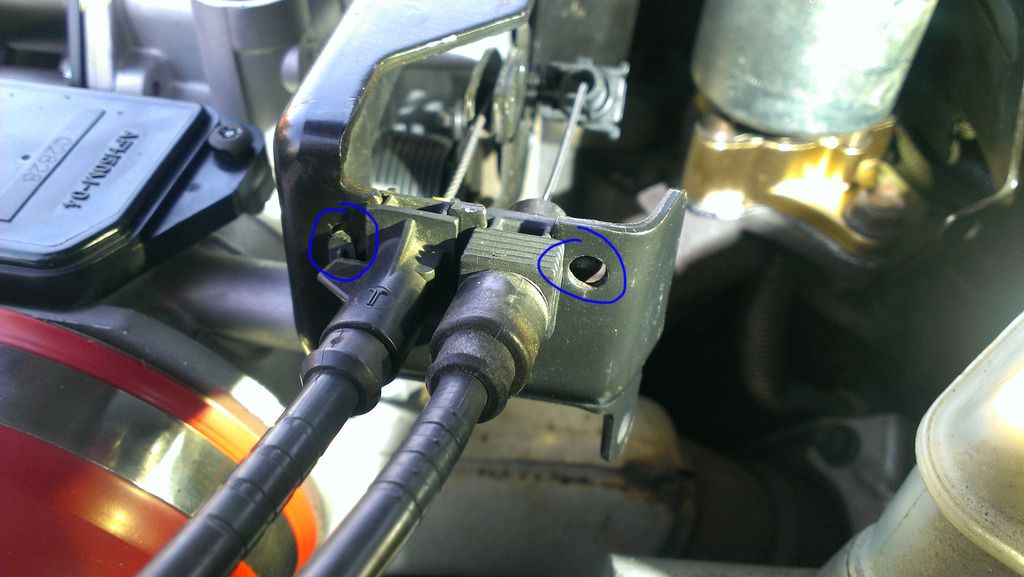
Here is a better view of the CC cable's plastic clip, on the right. The accelerator pedal clip is on the left but is hard to see from this angle. See next photo.
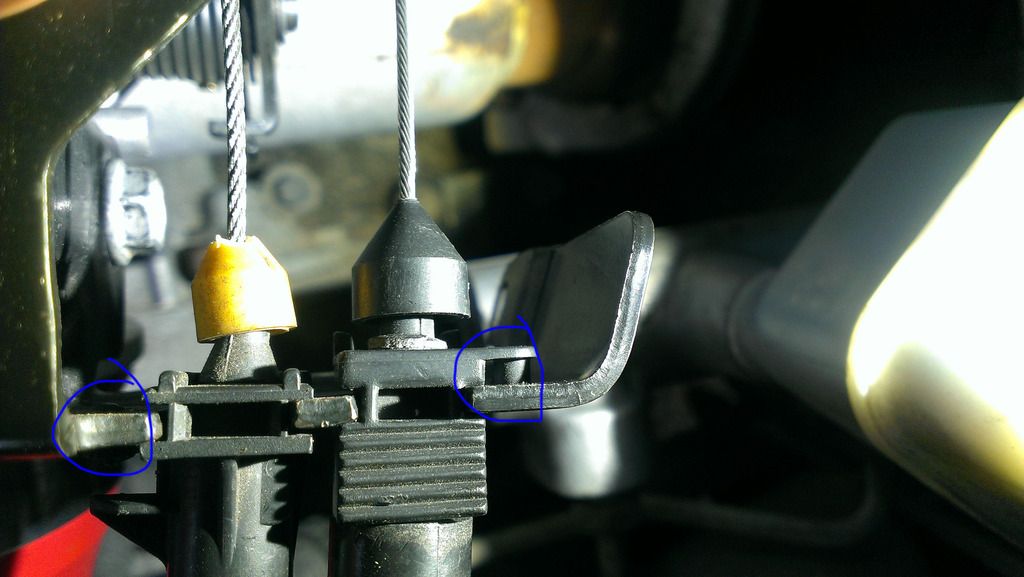
Here is a better view of the accelerator pedal cable's plastic clip:
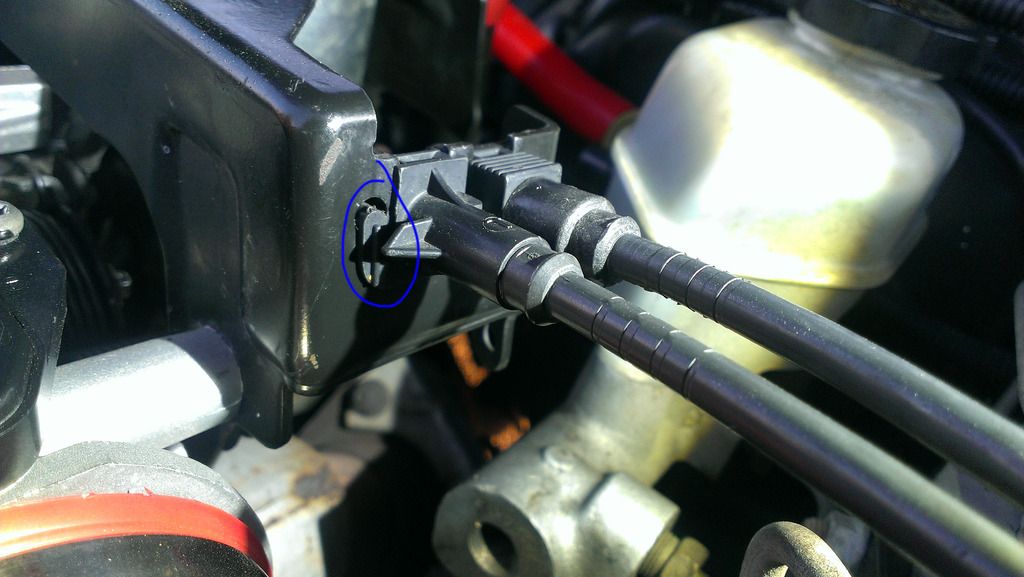
Remove the CC cable's clip by GENTLY pressing in the plastic tab with a thin instrument such as needlenose pliers, then pulling the entire clip straight up. Turn it CCW slightly (looking down from above) as you pull up to help liberate the plastic tab:
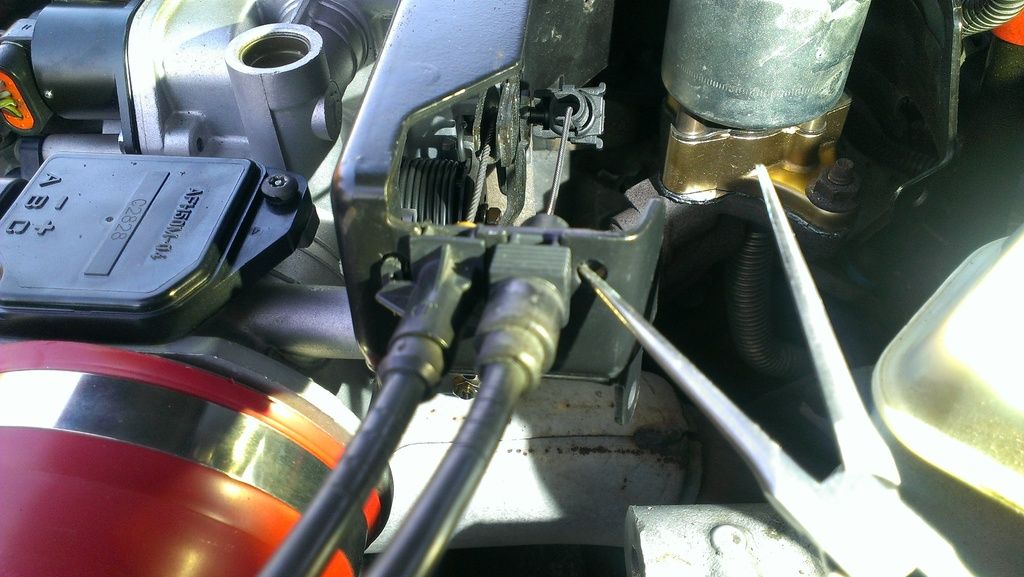
Remove the accelerator pedal's clip the same way, also turning it slightly CCW and pulling straight up:
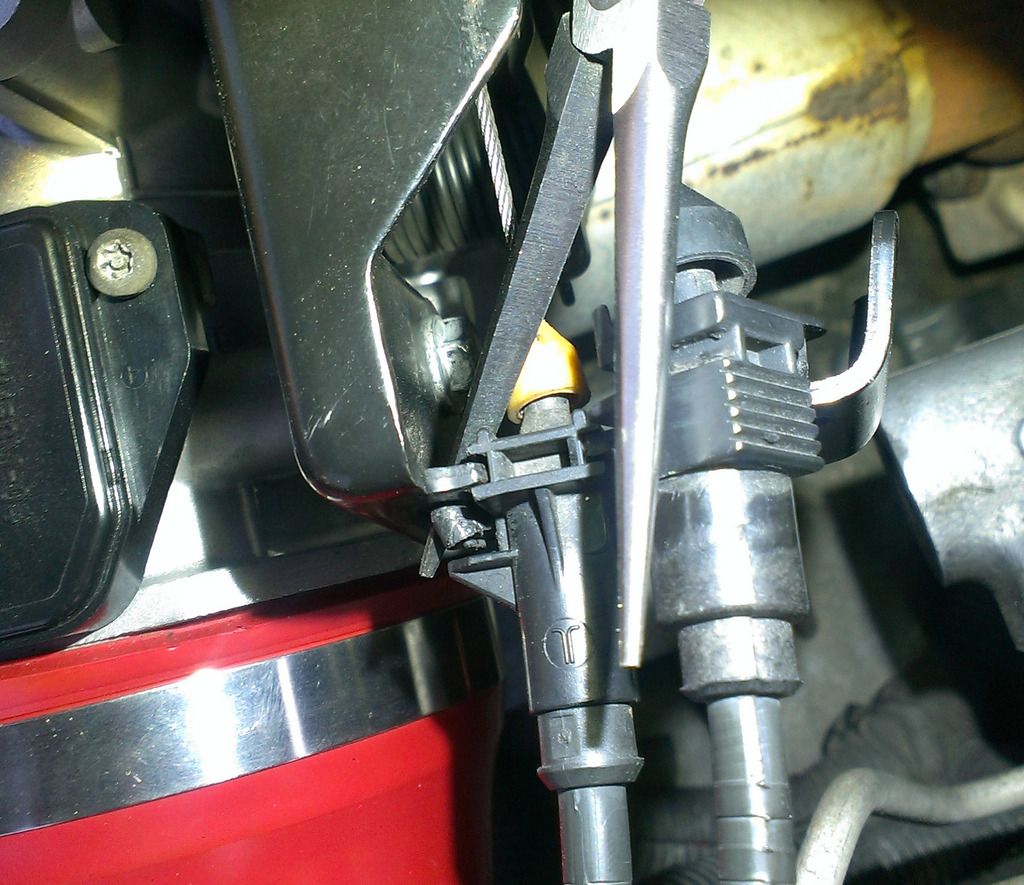
Now the clips have been released:
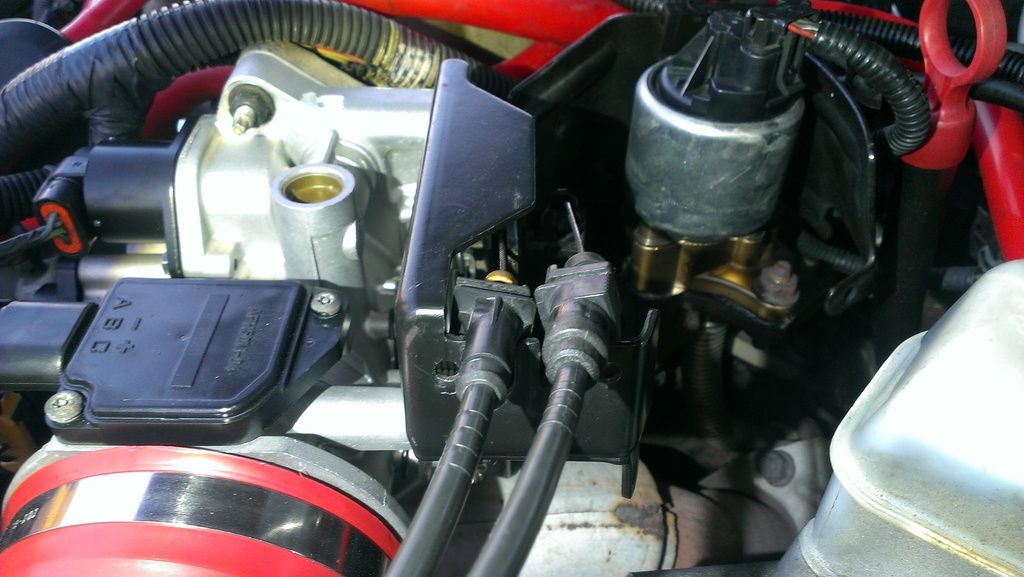
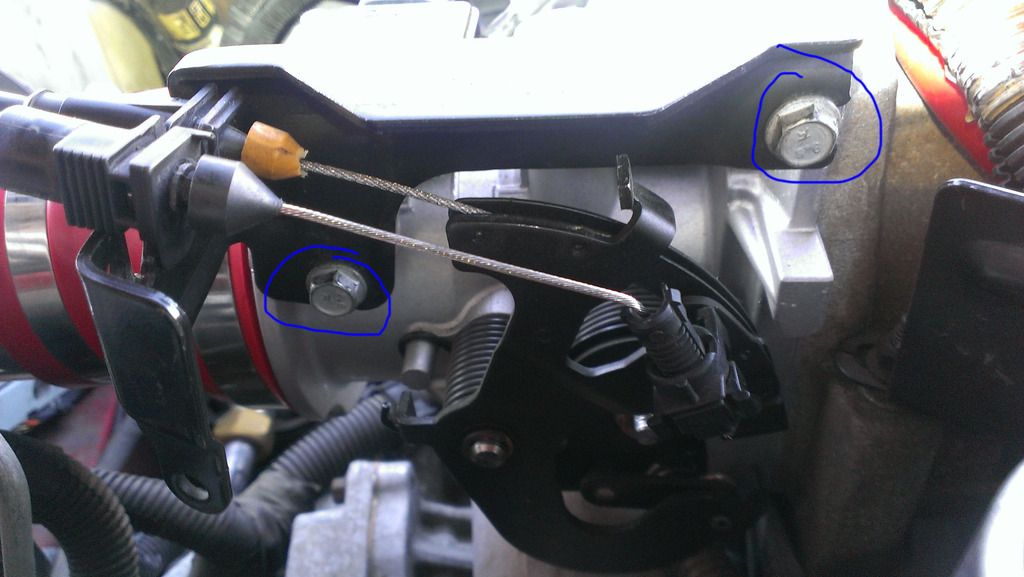
Remove the bracket. It's held in by two 10mm nuts (view from firewall looking toward front of car):
Lift away the bracket. Now pull the rotating metal assembly of the throttle body toward the driver's side of the car to slacken the cables. Hold it there:
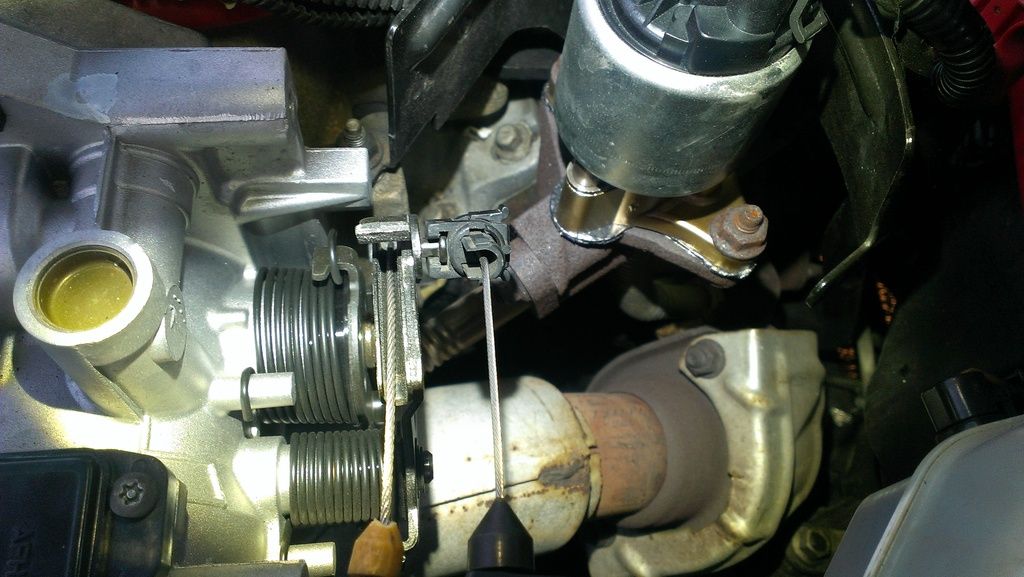
The CC cable detaches simply by pushing firmly away from the direction of the cable:
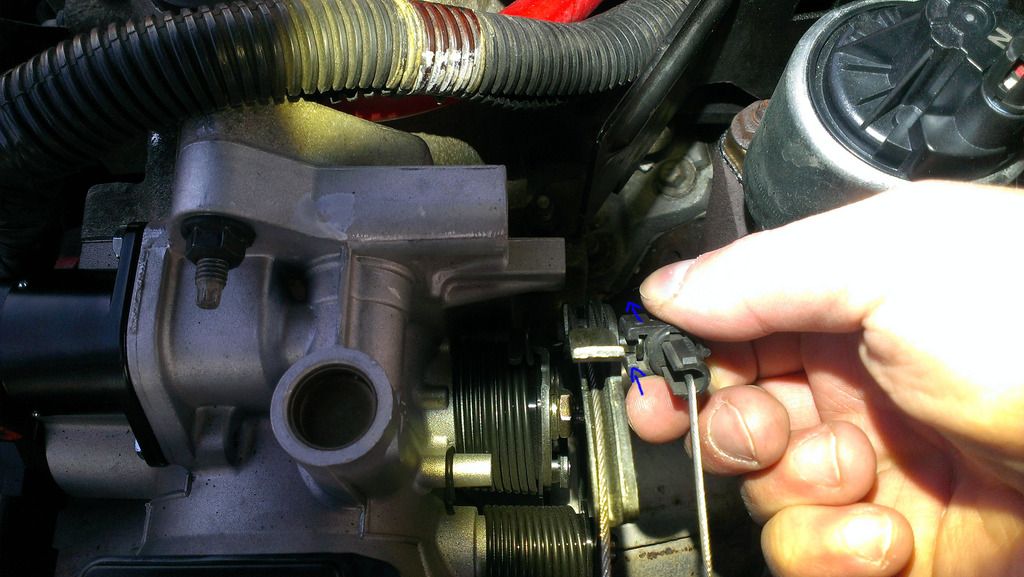
After detaching:
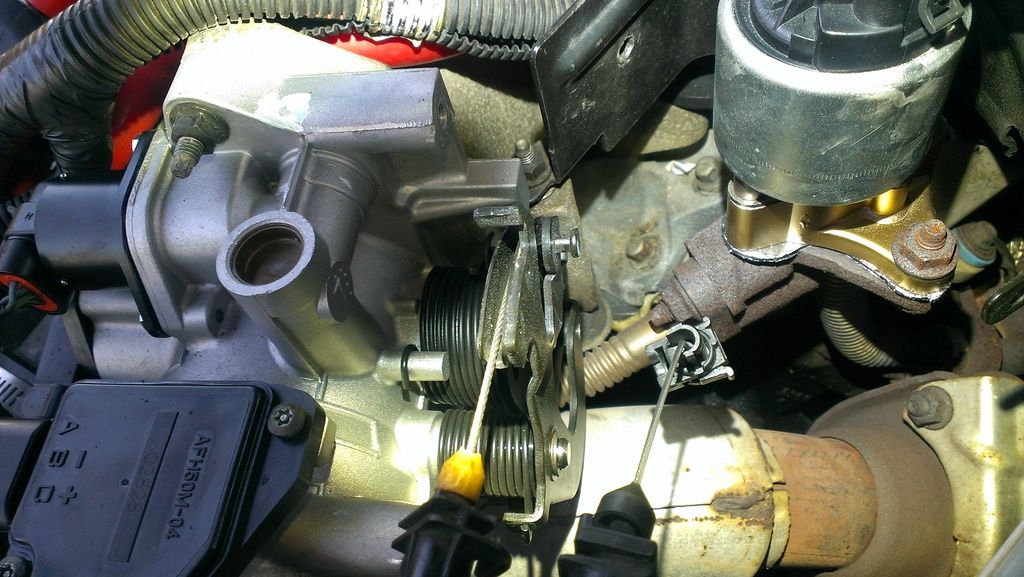
To detach the accelerator pedal cable, start by derailing it from its circular track:
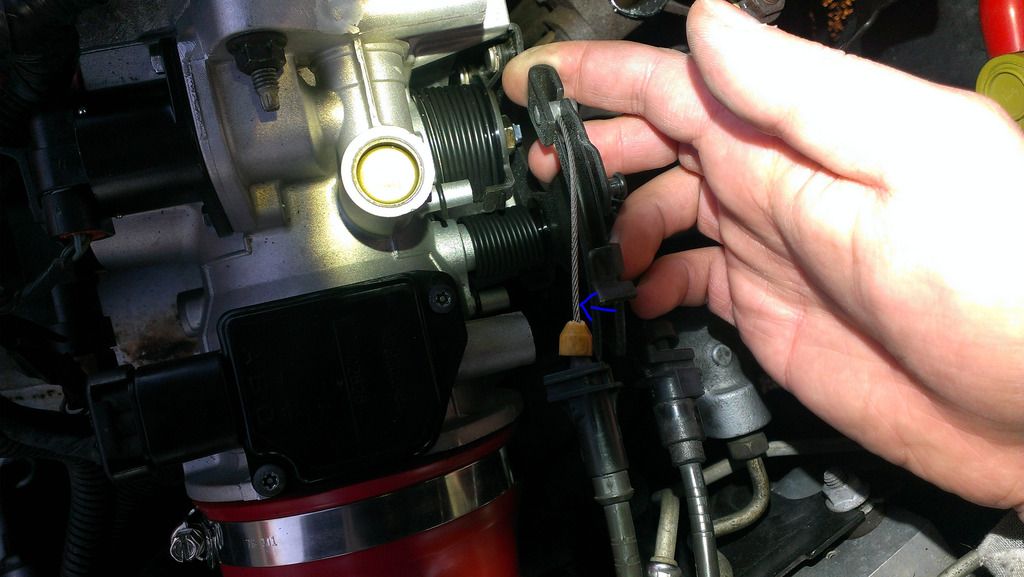
Next, still holding the rotating throttle assembly at full throttle (toward driver's side), use your thumb to begin lifting the accelerator pedal cable upward:
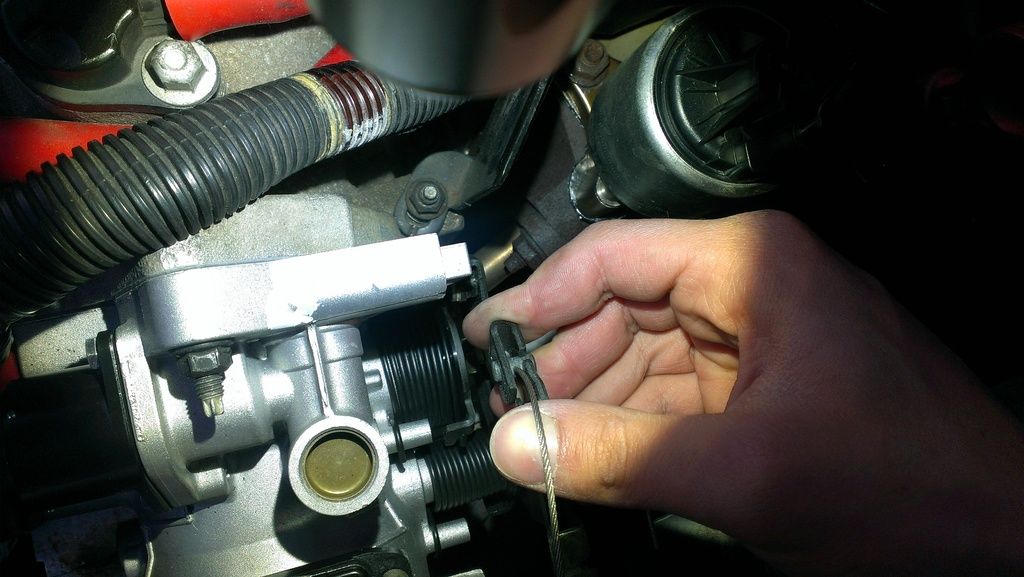
Keep going until you can pop the end of the cable out to the right:
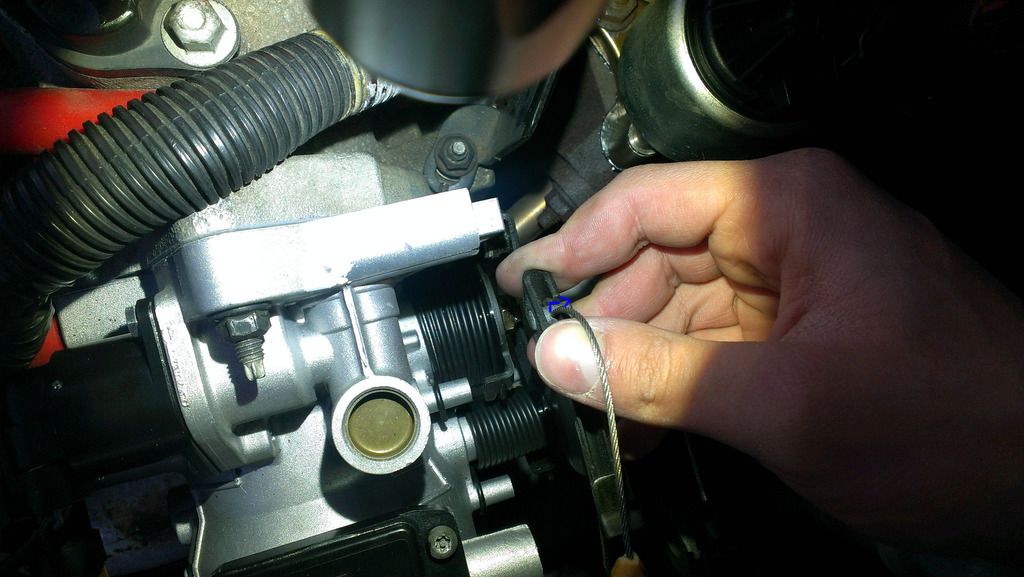
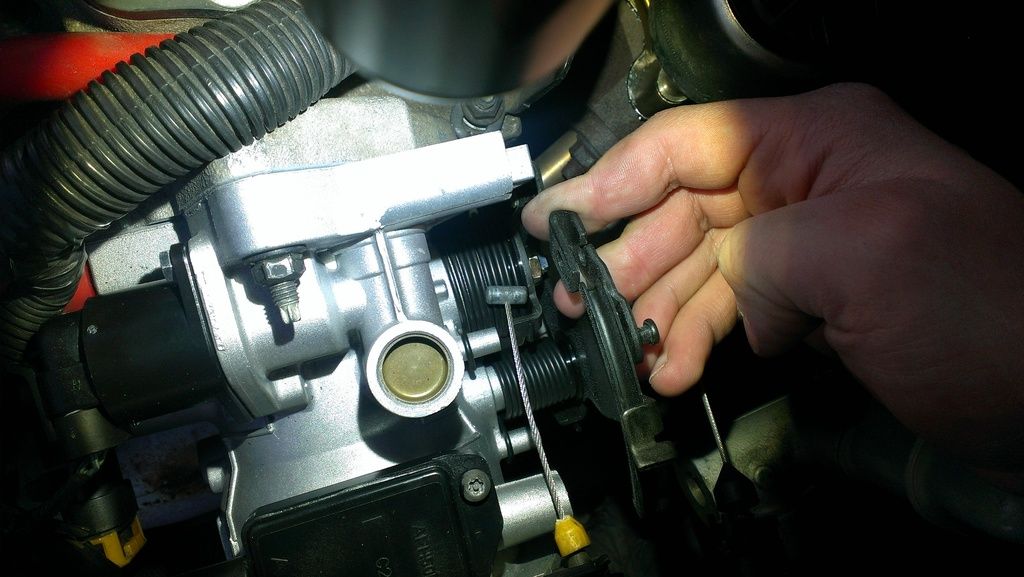
Done!
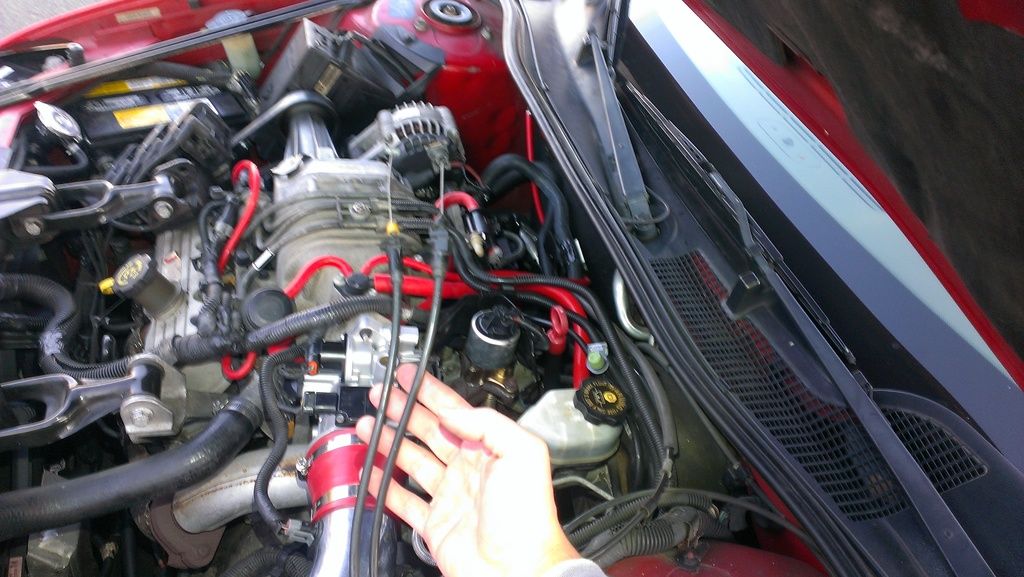
You can now completely remove the throttle body or replace throttle cables.
To reattach the cables, follow these steps in reverse order.
Feedback and suggestions welcome!
Thanks,
Komrad36
As I recently replaced an ailing throttle body and encountered some difficulty removing throttle cables (being afraid to break anything plastic), and as I got help from the community to do so, I thought I would make a formal write-up detailing my experience so future newcomers can do this job with confidence.
I've never written a how-to before, so please be nice, or be mean with creativity :th_nanana:
Experienced folks, please feel free to edit for readability. EDIT: I believe this information is valid for 1997-2003 Grand Prix GTP's.
What we're doing:
Two throttle cables attach to the throttle body (TB) of an L67 (supercharged 3800) engine. One is from the accelerator pedal, and the other is from the cruise control (CC) module. Both do the same thing - they pull to open the butterfly valve inside the TB, allowing more air into the engine. We're detaching both of them, a necessary step in removing the throttle body in order to replace it or clean it thoroughly away from the car.
Notes:
I wouldn't do this if it's very cold outside as it's much more likely for the brittle plastic clips to break.
Take it slowly and don't break anything you can't unbreak.
Let's go:
Remove the sight shield (engine cover) if you keep it installed. (I've removed mine to help keep the S/C cooler).
Start by removing the 10mm nut atop the shield:
Unscrew the oil filler neck, not just the cap but the entire cap and neck assembly:
Remove the sight shield:
To keep dust out of the crankcase, screw the oil filler neck back in. I also screw the 10mm nut back on to prevent losing it.
This is the throttle body. The oval above and to the right encircles the throttle cables:
Here is another view from the driver's side:
These are the throttle cables up close:
We first need to detach them from the black metal bracket, then from the throttle body itself. A plastic tab holds each cable firmly to the bracket:
Here is a better view of the CC cable's plastic clip, on the right. The accelerator pedal clip is on the left but is hard to see from this angle. See next photo.
Here is a better view of the accelerator pedal cable's plastic clip:
Remove the CC cable's clip by GENTLY pressing in the plastic tab with a thin instrument such as needlenose pliers, then pulling the entire clip straight up. Turn it CCW slightly (looking down from above) as you pull up to help liberate the plastic tab:
Remove the accelerator pedal's clip the same way, also turning it slightly CCW and pulling straight up:
Now the clips have been released:
Remove the bracket. It's held in by two 10mm nuts (view from firewall looking toward front of car):
Lift away the bracket. Now pull the rotating metal assembly of the throttle body toward the driver's side of the car to slacken the cables. Hold it there:
The CC cable detaches simply by pushing firmly away from the direction of the cable:
After detaching:
To detach the accelerator pedal cable, start by derailing it from its circular track:
Next, still holding the rotating throttle assembly at full throttle (toward driver's side), use your thumb to begin lifting the accelerator pedal cable upward:
Keep going until you can pop the end of the cable out to the right:
Done!
You can now completely remove the throttle body or replace throttle cables.
To reattach the cables, follow these steps in reverse order.
Feedback and suggestions welcome!
Thanks,
Komrad36
Last edited:


